New publication–Ongoing AI support & Optimization Playbook for MSPs

ongoing-cover-330

https://directorcia.gumroad.com/l/aisupportmsp

Ongoing AI Support & Optimization Playbook (Managed AI  Services for SMB MSPs)

Introducing the Ongoing AI Support & Optimization Playbook – your ultimate guide to mastering managed AI services for SMB MSPs! This comprehensive playbook is designed to empower Managed Service Providers (MSPs) with the knowledge and tools needed to deliver continuous AI support and optimization after deploying Microsoft 365 Copilot.

Why Read This Playbook?
  1. Step-by-Step Guidance: This playbook offers a detailed, step-by-step guide for MSPs to ensure that AI solutions remain effective and aligned with client needs. It covers everything from technical operations to business practices, making it an invaluable resource for maintaining and enhancing AI capabilities.

  2. Proactive Maintenance: Learn how to proactively monitor and improve AI solutions. The playbook provides insights on leveraging Microsoft’s admin tools to track user interactions, measure impact, and gather feedback. This ensures that AI tools like Copilot are always optimized and delivering value.

  3. Business Value Delivery: Discover how to position yourself as a long-term AI partner for your clients. The playbook emphasizes the importance of engaging with stakeholders, demonstrating value, and identifying growth opportunities. This approach helps MSPs build strong, lasting relationships with their clients.

  4. Packaging and Pricing: Get practical advice on how to package, price, and integrate AI services into your existing offerings. The playbook includes best practices for defining service scope, setting clear expectations, and choosing the right pricing model to ensure profitability.

  5. Real-World Examples: Benefit from real-world examples and case studies that illustrate the successful implementation of AI support and optimization strategies. These examples provide valuable insights and inspiration for applying the playbook’s principles in your own business.

Key Benefits
  • Continuous Optimization: Ensure that AI tools like Microsoft 365 Copilot remain effective and up-to-date, providing ongoing value to your clients.

  • Enhanced Client Relationships: Position yourself as a strategic AI partner, not just a technician, by delivering continuous improvement and innovation.

  • Increased Revenue: Identify upsell and expansion opportunities to grow your recurring revenue through managed AI services.

  • Comprehensive Support: Offer a clear support channel for AI-related issues, ensuring that your clients receive timely and effective assistance.

The Ongoing AI Support & Optimization Playbook is a must-read for any MSP looking to excel in the rapidly evolving AI landscape. By following the guidance provided, you can transform a one-time AI deployment into a long-term, profitable service that continuously delivers value to your clients 1.

Don’t miss out on this essential resource – get your copy today and take your AI support services to the next level!

Now included with MSP AI Playbook bundle – https://directorcia.gumroad.com/l/mspaipb

See all the titles available at – https://directorcia.gumroad.com/

CIA Brief 20260118

image

Demystifying Exchange Online Mailbox Quotas –

https://techcommunity.microsoft.com/blog/exchange/demystifying-exchange-online-mailbox-quotas/44864…

Inside RedVDS: How a single virtual desktop provider fueled worldwide cybercriminal operations –

https://www.microsoft.com/en-us/security/blog/2026/01/14/inside-redvds-how-a-single-virtual-desktop-provider-fueled-worldwide-cybercriminal-operations/

Turn Complexity into Clarity: Introducing the New UEBA Behaviors Layer in Microsoft Sentinel –

https://techcommunity.microsoft.com/blog/microsoftsentinelblog/turn-complexity-into-clarity-introdu…

After hours

The AI coding boom hits software – https://www.youtube.com/watch?v=FkmuyUTZvXU

Editorial

If you found this valuable, the I’d appreciate a ‘like’ or perhaps a donation at https://ko-fi.com/ciaops. This helps me know that people enjoy what I have created and provides resources to allow me to create more content. If you have any feedback or suggestions around this, I’m all ears. You can also find me via email director@ciaops.com and on X (Twitter) at https://www.twitter.com/directorcia.

If you want to be part of a dedicated Microsoft Cloud community with information and interactions daily, then consider becoming a CIAOPS Patron – www.ciaopspatron.com.

Watch out for the next CIA Brief next week

An example of Level 1 tech support with Copilot

A while ago I did a video of using AI for tech support. You can find that here:

https://www.youtube.com/watch?v=Q3Y-8AzE2bw 

The major component that enabled this was ‘computer vision’ i.e. the ability of Ai to see the screen. Here is another personal example of using ‘AI vision’ to solve technical issues.

Upon returning late to my home office I found I had no internet. Damm! ISP failure I thought. I did the basics and reset my modem and then resigned myself to waiting until the ISP brought things back online.

I was a bit concerned about the connectivity because after about 30 minutes it hadn’t come back up. Unusual, I thought. After tethering my phone to allow temporary Internet access I check my UniFi console which showed me my home office had been offline for many hours. Now that was very, very unusual and indicated that the problem was more about my equipment than a fault with the ISP. So I started doing some more rigorous testing.

After getting down under my desk and cleaning all the dusk away I discovered my Ubiquiti USG (firewall/security) device didn’t seem to be working correctly. I powered it off and on, but now joy. I also noticed a regular soft ‘chirping’ noise and the console port was flashing.

A dead USG would be a major pain because I had to present my Copilot Flight School via Teams the following day.

My USG device has been superseded so I used Copilot to find me a suitable replacement model. I then check the unit on Amazon to see how quickly it could be delivered. The replacement is here:

https://www.amazon.com.au/Ubiquiti-UniFi-Cloud-Gateway-Ultra/dp/B0D8PSW2BZ/

delivery would be in about a week to my door. Handy, but not enough to save my bacon for tomorrow’s training.

I then went back to Copilot with the symptoms and this is what it told me:

A flashing light on the Console port of a Ubiquiti USG is a classic “cry for help” from the hardware. It almost always points to a specific hardware failure rather than a software crash.

In most cases, it does not mean the main chip is dead, but it does mean the gateway cannot boot. Here is what that flashing light typically signifies:

1. The Power Supply Failure (90% of cases)

The most common cause of a flashing console light is a failing power brick. The capacitors inside the small black power adapter often wear out after 3–5 years. They can still provide enough power to blink an LED, but not enough “juice” to actually boot the internal processor.

The Symptom: You might also hear a very faint “chirping” or “clicking” sound coming from the USG or the power brick itself, synchronized with the flashing light.

The Fix: Find any 12V DC power adapter (at least 1.0A or higher, like 2.0A) with the same barrel plug size. Many people find that an old external hard drive or router power brick fixes the USG instantly.

Ok, so the power supply on the USG device has failed. It also have me this video of pretty much exactly the same issue i was having as confirmation to me that it was the same problem and what was needed to fix it!

https://youtu.be/toOxcrW9XzA

Luckily, right next to the USG device I had an very old USB hard disk, with an external power supply, that looked like it could do the job.

I look the above photo, provided it to Copilot and asked whether this woulr work with the USG. Here is what I got back:

Yes, that power adapter is perfectly suitable for your Ubiquiti USG.

Based on the photo you provided, the specifications match exactly what the USG needs to function correctly—and it may even be better than the original.

Why this adapter is a good match:

Voltage (12V): It matches the USG’s required 12V DC exactly.

Amperage (1.5A): The original USG power brick was only 1.0A. This 1.5A adapter provides more “room” for the device to draw power, which often prevents the common power-failure issues seen with the original bricks.

Polarity (Center Positive): The diagram on the label (the line pointing to the center of the circle with a +) matches the center-positive requirement of the USG.

Plug Type: This appears to be a standard 5.5mm x 2.1mm barrel jack, which is the correct physical fit for the USG power port.

How to test it:

Unplug your old power adapter from the USG.

Plug this “Von” adapter into the wall and then into the USG.

Watch the lights: If the power supply was the problem, the console light should stop flashing, and the main square light on top of the USG should eventually turn solid white (booting) or solid blue (connected).

Safety Note: While this adapter is electrically compatible, always ensure it remains in a well-ventilated area, as these smaller “wall wart” adapters can get warm during constant use.

Would you like me to walk you through what to do if the lights still don’t turn solid after swapping the power brick?

It was able to read and verify the specifications of this power supply, based on my photo, and check to see whether it would be suitable and guess what? It was! I used this power supply and my USG can right back up and my Internet was restored. Amazing! All of this at 11pm at night without the need to buy and ship or replacement or talking to anyone!


I also saw the above image floating around my socials and thought that it was interesting to see the impact that Ai is having on technical forums like Stack Overflow and probably every other technical forum out there. My own experience, with all the forums I work with mirrors this, AI is changing the game for anything that relies on expertise. As the Internet democratised and commoditise communication so AI will do the same for expertise it seems!

We now live in a world where I can use AI at anytime of the day, give it a photo of my issue and have it solve it for me with to your delivery by Amazon of any replacement equipment required. Let’s hope your business doesn’t depend on things that have already been superseded!

Flight School: Mastering Copilot for IT Pros–On demand

image

My 10 hour virtual training is now available on demand from:

https://directorcia.gumroad.com/l/mccpitpro

Turn Microsoft Copilot from “nice to have” into a practical, revenue‑driving capability. Flight School: Mastering Copilot for IT Pros is an immersive, live online program designed for IT professionals and MSPs, delivered over a focused cohort so you get hands‑on practice, real examples, and repeatable patterns you can apply the same day. It runs as a multi‑day virtual training specifically crafted for IT Pros and Managed Service Providers, with a strong emphasis on practical usage and adoption in Microsoft 365 environments.

What sets this course apart: every session is built around real Microsoft 365 tenant scenarios—security, governance, AI agent workflows, and user adoption—so you leave with a simple, repeatable framework, not just theory.


Who this course is for

  • IT administrators, solution architects, and consultants rolling out Copilot across Microsoft 365 tenants.

  • MSP owners and engineers building Copilot-powered offerings for SMB customers.

  • Technology leaders responsible for security, compliance, and change management in Microsoft 365.


What you’ll learn (outcomes)

By the end of Flight School you will be able to:

  • Explain the practical AI stack for Microsoft 365—data → security → search → identity/licensing → Copilot/agents—and use it to make sound, risk‑aware implementation decisions.

  • Harden your tenant for AI by aligning service‑level and item‑level security, data labelling, and DLP so Copilot respects access boundaries.

  • Use Copilot Chat effectively (history, memory, attaching files from OneDrive/SharePoint) and apply prompt books and prompt engineering techniques that non‑technical users can follow.

  • Leverage advanced Copilot agents (Researcher, Analyst), Notebooks, Admin Copilot, and SharePoint/Channel agents to automate research, reporting, and routine admin work.

  • Design an adoption plan for SMB tenants: licensing choices, enablement, tips for Teams/Outlook/SharePoint usage, and how to package Copilot services in an MSP offering.


Course format & inclusions

  • Instructor‑led online cohort (multi‑day) with focused, practical sessions.

  • Session recordings and downloadable resources so you never miss a step.

  • Hands‑on demonstrations using Microsoft 365 tenants, showing exactly how to configure, test, and measure results.

  • Recommended setup: a Microsoft 365 Copilot–enabled tenant is ideal to follow along with internal data scenarios (emails, files, Teams, SharePoint).


Program snapshot (sample sessions)

  • Session 1 – The AI Stack for Microsoft 365
    Foundations of the AI stack, security posture, governance, search, licensing, identity, and how Copilot fits.

  • Session 2 – Copilot Chat, Memory & Prompt Books
    Practical workflows, attaching tenant data, creating re‑usable prompt books, and using Loop for collaborative artefacts.

  • Session 3 – Security, Compliance & Internal Data
    Item‑level protection, data labelling, DLP, safe access to internal content, and when to choose paid Copilot capabilities.

  • Session 4 – Notebooks & Agents
    Researcher and Analyst agents, Admin Copilot, SharePoint and Channel agents in Teams, and automation patterns you can adopt immediately.

Cohorts are delivered as a structured multi‑day virtual training for IT Professionals and MSPs—clear, practical, and built for real‑world use.


Why learn with CIAOPS

Flight School sessions are delivered by Robert Crane, a long‑time Microsoft 365 educator and the principal behind CIAOPS, who routinely leads live community sessions and training across Microsoft 365 and Copilot.

Some feedback received so far from attendees:

I’ve just completed a five‑day Copilot course, and I can honestly say it has been a game‑changer for the way I work. Over the week, Rob shared an incredible range of practical tools, tips, and resources that will not only help me boost productivity but also streamline my daily tasks with best‑practice approaches.
What impressed me most was how immediately applicable everything was. I’m already seeing how these new skills will dramatically reduce the amount of time I spend sitting in front of a computer entering data—freeing me up to focus on higher‑value work. The sessions were clear, insightful, and genuinely empowering.
A huge thank you to Rob for delivering such a valuable and engaging program. I’d highly recommend this course to anyone looking to work smarter, not harder.

Rob’s training is well worth the investment not only from a $ perspective, but from the time invested. Over the course of 5 days I’ve been able to glean a huge amount of things that I “thought I knew” and use them better. Can’t wait to review the recordings to see what else I can do. Thanks Rob.

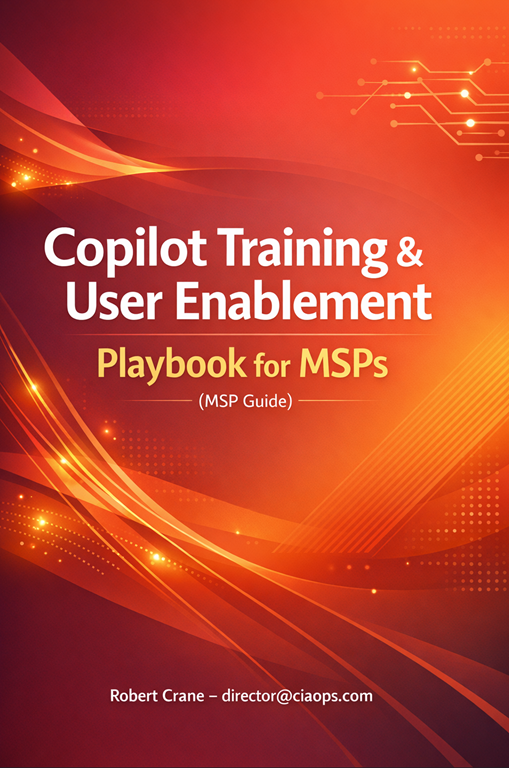
New publication–Copilot Deployment Playbook for MSPs

blog

https://directorcia.gumroad.com/l/mspdeplotpb

Copilot Deployment Playbook for SMB Clients – MSP Guide

Introducing the Deployment Playbook for SMB Clients – your ultimate guide to successfully rolling out Microsoft 365 Copilot for small and medium-sized businesses. This comprehensive playbook is designed specifically for Managed Service Providers (MSPs) and IT professionals, offering a step-by-step approach to ensure a seamless and effective deployment.

Why You Need This Playbook:
  • Expert Guidance: Navigate the complexities of deploying Microsoft 365 Copilot with ease. Our playbook provides detailed instructions on licensing, technical setup, data preparation, user onboarding, and post-pilot evaluation

  • Maximize ROI: Learn how to demonstrate tangible value with a small-scale Copilot deployment, ensuring your clients see the benefits and are ready for a broader rollout

  • Security and Compliance: Ensure that Copilot respects existing Microsoft 365 policies and data access controls, protecting sensitive information while delivering value

  • User Training and Support: Equip your clients with the knowledge and tools they need to make the most of Copilot, from pilot user training to measuring success

Key Features:
  • Licensing Procurement & Setup: Ensure your clients have the correct licenses and understand the costs and commitments involved

  • Tenant Configuration: Enable and configure all required tenant settings so that Copilot can function correctly and securely within the client’s Microsoft 365 environment

  • Grounding Data Preparation: Load and organize the client’s content and knowledge to ensure meaningful, organization-specific answers from Copilot

  • Pilot Group Selection & Onboarding: Choose a small, representative group of users to participate in the pilot, assign them the Copilot licenses, and ensure they have everything needed to start using Copilot

  • Pilot Execution: Monitor, support, and iterate during the pilot run to ensure engagement and gather insights on how Copilot is being used

  • Evaluation & Reporting: Conclude the pilot with a comprehensive evaluation of results and prepare a pilot report that summarizes usage, user feedback, and the value achieved

Benefits:
  • Increase Efficiency: Help your clients streamline their workflows and improve productivity with Microsoft 365 Copilot.

  • Enhance Customer Engagement: Provide your clients with the tools they need to better manage customer interactions and improve their digital presence.

  • Stay Ahead of the Curve: Position yourself as a forward-thinking MSP by offering cutting-edge AI solutions to your clients.

Don’t miss out on the opportunity to elevate your services and deliver exceptional value to your clients. Purchase the Deployment Playbook for SMB Clients today and take the first step towards a successful Microsoft 365 Copilot deployment.

See all the titles available at – https://directorcia.gumroad.com/

My Tech Books – 2026

blog

To see my list from last year visit – My Tech Books 2025

My selections below, both fiction and non fiction, I have found to be enjoyable and thought provoking in many different ways and I recommend them to everyone who is interested in tech.

Mentions from 2025

The Nvidia Way: Jensen Huang and the Making of a Tech Giant

– Tae Kim

Apple in China: The Capture of the World’s Greatest Company

– Patrick McGee

Source Code: My beginnings – Bill Gates

You can follow all the books, tech, business, non-fiction, etc that I read over at Goodreads. You can view my activity here:

https://www.goodreads.com/director_cia

1. Daemon – Daniel Suarez [Fiction]

A glimpse into the future of where drones and augmented reality may take us. That may not necessarily be a good place either. The more AI I see the more this books seems to be a prediction of what is coming. Many concepts in this book are I would suggest are now even more likely to be reality.

2. Chip War: The Fight for the World’s Most Critical Technology [Non-Fiction]

Without computer chips our modern world would not exist. Read this to understand how truly dependent we are on the humble microprocessor and how it may become something wars are about shortly.

3. Dark Wire: The Incredible True Story of the Largest Sting Operation Ever [Non-Fiction]

Unbelievable but true story of how criminals were tricked to adopting technology from law enforcement agencies and the impacts that had on organised crime when it was finally revealed..

4. Sandworm: A New Era of Cyberwar and the Hunt for the Kremlin’s Most Dangerous Hackers – Andy Greenberg [Non-Fiction]

This is a great book if you are interested in IT security. It is also a very current book which makes it even more engrossing. It is easy to read and quite comprehensive in its approach, not only dealing with the technology of security attack but also the geopolitical reasons and consequences.

It reveals that shadow world of nation state cyber attacks and illustrates how they are happening today and likely to increase in the future. The connected world of the Internet has brought us many benefits but it is now increasing risks as our dependencies increase to the point that there are few manual backups that don’t depend on technology.

I think this book is a real glimpse into the future and what we may be in store for in the even of rising global conflicts. If you like tech, you’ll love this!

5. Future Crimes: Inside the Digital Underground and the Battle for our Connected World – Marc Goodman [Non-fiction]

Technology will ultimately doom us all I believe because we are building our world on stuff that unfortunately places a low regard for security and privacy. This book will show you why that is a road to ruination.

6. Countdown to Zero Day: Stuxnet and the Launch of the World’s First Digital Weapon – Kim Zetter [Non-Fiction]

If you don’t believe cyber warfare is real then read this book to understand how software is now a weapon as potentially devastating as any nuclear device.

7. AI Valley: Microsoft, Google, and the Trillion-Dollar Race to Cash In on Artificial Intelligence – A Definitive Insider Chronicle of the Breakthroughs Redefining Our World [Non-Fiction]

The world is changing faster than it ever has before and with so much money being throw at AI who knows where it will end.

8. American Kingpin: The Epic Hunt or the Criminal Mastermind Behind the Silk Road – Nick Bilton [Non-Fiction]

An amazingly detailed book on the rise and fall of Ross Ulbricht, the creator of the Silk Road web site. In here are asked to think about whether technology plays something more than a neutral role in today’s world.

9. The Coming Wave. Technology, Power and the Twenty-first Century’s Greatest Dilemma – Mustafa Suleyman [Non-Fiction]

A well balanced book on both the pros and cons of artificial intelligence (AI). The future is not going to be all roses unless we stop and think about what we are creating with Ai and what we need to do now to prevent it causing untold harm.

10. This how they tell me the world ends: The cyberweapons arms race – Nicole Perlroth [Non-Fiction]

Highlights the challenges that society has created, mainly from its’ own doing and questions of how we go about fixing this so we don’t end causing infinite harm to both intended targets and unintended victims.

CIA Brief 20260112

image

Microsoft OneDrive, a year in review: AI-powered file management and smarter collaboration –

https://techcommunity.microsoft.com/blog/microsoft365insiderblog/microsoft-onedrive-a-year-in-revie…

Add links to text faster in Word –

https://techcommunity.microsoft.com/blog/microsoft365insiderblog/add-links-to-text-faster-in-word/4…

Determine Defender for Endpoint offboarding state of Windows machines using PowerShell –

https://techcommunity.microsoft.com/blog/coreinfrastructureandsecurityblog/determine-defender-for-e…

From awareness to action: Building a security-first culture for the agentic AI era –

https://www.microsoft.com/en-us/microsoft-cloud/blog/2025/12/10/from-awareness-to-action-building-a…

Always‑on Diagnostics for Purview Endpoint DLP: Effortless, Zero‑Friction troubleshooting for admins –

https://techcommunity.microsoft.com/blog/microsoft-security-blog/always%E2%80%91on-diagnostics-for-…

Explore the latest Microsoft Incident Response proactive services for enhanced resilience –

https://www.microsoft.com/en-us/security/blog/2026/01/07/explore-the-latest-microsoft-incident-resp…

Exchange Online canceling the Mailbox External Recipient Rate Limit –

https://techcommunity.microsoft.com/blog/exchange/exchange-online-canceling-the-mailbox-external-re…

Introducing the Microsoft Defender Experts Suite: Elevate your security with expert-led services –

https://www.microsoft.com/en-us/security/blog/2026/01/06/introducing-the-microsoft-defender-experts…

Phishing actors exploit complex routing and misconfigurations to spoof domains –

https://www.microsoft.com/en-us/security/blog/2026/01/06/phishing-actors-exploit-complex-routing-an…

Announcing public preview: Uncovering hidden threats with the Dynamic Threat Detection Agent –

https://techcommunity.microsoft.com/blog/microsoftthreatprotectionblog/announcing-public-preview-un…

After hours

Dawn of Cyberwarfare | Full Award-Winning Documentary – https://www.youtube.com/watch?v=BIEOB2jIr_o

Editorial

If you found this valuable, the I’d appreciate a ‘like’ or perhaps a donation at https://ko-fi.com/ciaops. This helps me know that people enjoy what I have created and provides resources to allow me to create more content. If you have any feedback or suggestions around this, I’m all ears. You can also find me via email director@ciaops.com and on X (Twitter) at https://www.twitter.com/directorcia.

If you want to be part of a dedicated Microsoft Cloud community with information and interactions daily, then consider becoming a CIAOPS Patron – www.ciaopspatron.com.

Watch out for the next CIA Brief next week
My podcasts 2026

desk-music-headphones-earphones

You can find the previous year’s selection here:

My podcasts 2025

I do spend a lot of time listening to podcasts, generally in between things, like travelling. However, there is a limit to how many you can consume in a week and that’s why I need to be very discerning about what I listen to.

Regulars

These podcasts are ones that I generally won’t miss an episode of.

Windows Weekly

The latest Microsoft news with some fun and entertainment along the way. Paul Thurrott’s musing make this podcast alone something worth listening to. I still miss Mary Jo Foley as a co-host I will admit and the show just isn’t as good or enjoyable. I still have no interest in the whiskey part of this show, which I now just fast forward through. I still also find that the show is more ‘ranty’ than informational which can get a bit much at times.

The Tim Ferriss Show

Some really great advice, business insights and strategy. Also lots of life lessons that I have found work really well for me. A weekly must listen for me. Some, I do skip through and some can be quite tough to get through because they are so long, but a worthwhile investment of my time. I am finding these shows are getting longer and longer making them hard to squeeze in but I do try and listen to them all.

Hardcore History

These tend to be quite long, like reading a book, but a very good and very interesting. Luckily, they are not that frequent, so it can make a nice change from all the tech stuff. There hasn’t been much content here of late which is disappointing. If you love history and an interesting story, then this is the podcast for you.

The Intrazone

All the latest news and information about SharePoint, OneDrive for Business, Teams and more directly from Microsoft. Pretty short, which makes it easy to consume. Can try a bit hard to be ‘funky’ at times but good way to stay up to date with the Microsoft collaboration news.

Sync Up

A podcast focused on the Microsoft files experience around OneDrive from Microsoft. More content has dropped but they seems to spend so much time at the beginning of the ‘learning’ about the guests and what do they like etc. I’d really prefer they just get into the content. I’m here for that not, not to take a deep dive into the personalities.

Darknet Diaries

Really well produced cybersecurity focused podcast. Has a nice variety of topics and the content is good and well researched. If you enjoy the security side of IT you’ll love these episodes. Seems to me that Jack has run out of content for these for the time being. recent episode have deviated away from main theme in my opinion. Less regular episodes and the topics are becoming broader, which isn’t necessarily a bad thing but the context has changed.

Microsoft Threat Intelligence Podcast

Has some interesting content but tried to be a too ‘whacky, zany and trendy’ at times. Rather high level security information but give good information on the whole threat landscape and interesting personalities and technologies there. Generally around 20 minutes at double speed, so easily digestible.

Once off podcasts

Think of these more of a book you’d read or a TV show you’d watch.

The Lazarus Heist

Another well produced podcast from the BBC that follows the trails of and attempt to steal and launder billions of dollars. Apparently, additional episodes are coming later this year. If you like Darknet Diaries, you’ll like this.

I churn through these mostly at 2x speed to allow me to get through as much content as possible. I do have a few other podcasts on my current podcasting app. I am always on the lookout for good podcasts business, technology, history, whatever. So if you can recommend something you like, I’m all ears. These days, if you have a topic of interested, you’ll find many podcasts you can listen to. Don’t be shy to try them and throw away ones that don’t suit you until you find what you like.

I’ve found that many podcasts have disappeared over the last year and I have been more judicious on what I spend my time listening to. It has to provide valuable information or be enjoyable to listen to and I have become much stricter on those criteria. I have a tried quite a few new podcast in the last year but none of them really stood out for me.

I have struggled to find a ‘good’ podcast on AI. Like most things AI these days, most podcasts I have listened to on the topic are rather ‘fluffy’ and don’t go deep enough into the topic. Luckily, there is still an infinite amount of AI podcast to try but if you have found a good one please let me know.

Finally, of course, there is my own podcasting effort:

Need to Know podcast

which covers the Microsoft Cloud (typically Microsoft 365 and Azure) as well as business topics. I encourage you to have a listen and me know what you think. 2026 will be the sixteenth year that it has been available.

Hopefully, there is something of interest to you in what I listen to. Feel free to let me know as well as any recommendations you may have, as I said, I’m all ears! All of these I listen to directly on Spotify these days, which annoyingly now seems to have ads in between episodes.