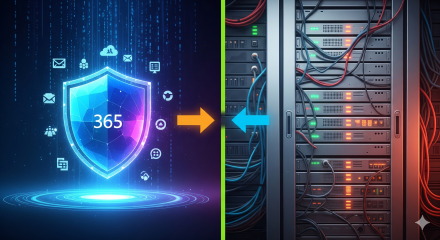
Short answer (for a remote‑first SMB on Microsoft 365 Business Premium that’s configured well): For most scenarios, you do not need an expensive, next‑gen/UTM hardware firewall at every site. A basic, reliable edge router/firewall for NAT, stateful filtering, and ISP failover is usually sufficient—provided you shift protection to identity, device and app layers using Business Premium’s built‑in controls (Intune, Microsoft Defender for Business, and Conditional Access) and keep Windows Defender Firewall always on and centrally managed. [1][2][3][4]
Why the perimeter is no longer the control that matters most
Remote work + SaaS have moved users and data outside the office network. Microsoft’s Zero Trust approach puts the control points at identity, device health, and applications, not at a single network chokepoint. Business Premium packages these controls for SMBs: Endpoint EDR/ASR and network/web protection on the device (Defender for Business), Conditional Access to gate app access, and Defender for Office 365 to neutralise email‑borne attacks. In other words: you inspect and block at the endpoint and the cloud, which significantly reduces the value of a costly on‑prem firewall for a typical remote workforce. [5][1][6]
Defender for Business (MDB) adds web protection, network protection, web content filtering, attack surface reduction (ASR), and EDR—controls that used to be sold as “firewall features” in branch appliances. These run on the endpoint and follow the user everywhere. [2][5]
Windows Defender Firewall should remain enabled and centrally configured via Intune security baselines—giving you host‑based segmentation and policy without paying for advanced edge appliances. [7][4]
Conditional Access (Entra ID P1) lets you require MFA and compliant devices for Exchange/SharePoint/Teams and other SaaS apps, blocking risky sign‑ins even if a user is “on the office network.” [8][9]
Defender for Office 365 (Plan 1) (Safe Links/Attachments, anti‑phishing) removes the single biggest ingress vector—malicious email—before it ever hits a device. [10]
So… is anything beyond a basic firewall required?
For a typical SMB with many remote workers and no critical on‑prem apps, the cost‑effective pattern is:
Keep a simple edge: ISP router/basic firewall with NAT, DHCP, basic filtering, and failover.
Do the heavy lifting in M365: Intune + Defender for Business + Conditional Access + Defender for Office 365.
Optionally add Microsoft’s cloud‑delivered network security (SSE) if you want SWG/Zero‑Trust Network Access without hardware (see below). [11]
This “thin‑edge, strong‑endpoint” model routinely outperforms legacy “big firewall, flat endpoints” setups in both risk reduction and TCO for remote‑first SMBs—because controls travel with the user and are enforced before data is accessed. [5][1]
When a high‑priced firewall might still be justified
Choose a premium firewall/UTM only if you truly need capabilities that are network‑only and site‑centric, for example:
High‑throughput site‑to‑site VPNs/SD‑WAN, or numerous branch tunnels to on‑prem resources you’ll keep long term.
Strict network segmentation/IPS for OT/IoT or lab environments that cannot run endpoint controls.
Regulatory demands for on‑prem IDS/IPS or mandated perimeter logging at a specific site.
Complex public services hosted in your office (reverse proxying/WAF for internet‑facing apps).
If none of these apply, put your budget into endpoint, identity, and app security rather than into an oversized edge box.
A practical blueprint: Configure Business Premium to replace “firewall features”
Below is a concrete, field‑tested setup that reduces or eliminates reliance on dedicated firewall appliances for most SMBs. I’ve mapped each step to the relevant Business Premium capability and included sources you already have.
1) Device hardening & local firewall (Intune + MDB)
Deploy Intune Security Baseline for Windows; enforce Windows Defender Firewall (all profiles), BitLocker, Windows Hello, credential guard, disable legacy protocols. [7]
In Defender for Business, enable:
Network protection (block mode) to stop outbound calls to malicious domains from any app.
Web content filtering to block risky categories (e.g., malware, proxies, adult, gambling) on the device.
ASR rules (e.g., block Office from creating child processes; block credential theft).
EDR with Automated Investigation & Remediation. [2][5]
These controls deliver the “URL filtering,” “DNS security,” and “IPS‑like prevention” marketing bullets you’d otherwise buy in a firewall—except they work everywhere the user goes. [6]
2) Identity gate (Entra ID Conditional Access)
Require MFA for all users (break‑glass excluded).
Require compliant device for Exchange, SharePoint, Teams; block legacy auth; add sign‑in risk and location conditions if needed.
Use App Protection Policies for BYOD to keep corporate data in protected app containers. [8][12]
3) Email & collaboration ingress (Defender for Office 365)
Turn on Safe Links and Safe Attachments with Dynamic Delivery; enable anti‑phishing and impersonation protection; route high confidence spam to quarantine. [10][13]
4) “Always‑on” local firewall
Ensure Windows Defender Firewall is on (even if another firewall exists). Manage via Intune; never disable it as a shortcut. [4]
5) Verification & posture
Track and remediate via Microsoft Secure Score and Defender for Business TVM dashboards; use the Business Premium setup checklists to close gaps. [3][14]
Want a cloud alternative to hardware perimeter security?
If you still want centralised egress policy and VPN‑less private app access—without buying boxes—Microsoft now offers Security Service Edge (SSE) under Global Secure Access:
Microsoft Entra Internet Access = identity‑aware Secure Web Gateway for internet/SaaS (generally available).
Microsoft Entra Private Access = Zero‑Trust Network Access that can replace traditional VPNs for private apps. [11][15][16][17]
These are add‑ons (not bundled with Business Premium), but they’re often cheaper and simpler than rolling out/maintaining premium branch firewalls, especially for multi‑site SMBs. [11]
Decision framework (quick)
Remote‑first, SaaS‑first, no critical on‑prem: Go basic edge + Business Premium blueprint above. No high‑priced firewall required. [1][2]
Some on‑prem, but limited: Consider basic edge + Entra Private Access for VPN‑less private access. Add Entra Internet Access if you need centralised web policy/logging across sites. [11][16]
Heavy on‑prem/OT, compliance‑driven, or high‑throughput site mesh: A premium firewall/UTM may be justified—ideally fewer, centralised ones—combined with the Business Premium controls above.
Put it into action in 2–3 weeks (what I’d run for your clients)
Baseline: Deploy Intune security baseline and onboard all devices to Defender for Business; verify Network protection and Web filtering are in block mode. [7][2]
For most remote‑heavy SMBs standardising on Microsoft 365 Business Premium, spend on configuring Business Premium properly and keeping Windows Defender Firewall enforced, not on premium hardware firewalls. Use Global Secure Access if/when you need cloud‑delivered SWG/Zero‑Trust access. Keep hardware at the edge simple unless you have clear, site‑specific needs that only a high‑end firewall can meet. [1][2][11]
If you like, I can turn this into a client‑ready one‑pager with a policy checklist you can drop into proposals, plus an Intune/MDB baseline JSON to deploy across tenants. Want me to draft that?
References
[1] Module 02 – Security
[2] Microsoft Defender for Business A Comprehensive Guide to Endpoint Protection, Capabilities, and Comparison with Defender for Endpoint Plans
[3] Microsoft 365 Business Premium Setup Checklist A Comprehensive Guide for IT Professionals
If you’ve ever asked an AI for help and received a vague or off-target response, the issue probably wasn’t the AI—it was the prompt. The good news? There’s a simple fix. The best prompts follow a 4-part structure that helps you get crystal-clear, actionable results every time.
Whether you’re automating client onboarding, writing documentation, or prepping for a Microsoft 365 migration, this framework will help you get the most out of your AI tools.
The 4 Parts of a Great Prompt
1. Role – Tell the AI who to be
This sets the tone and perspective. You’re not just asking a question—you’re assigning a role.
Examples:
“Act as a Microsoft 365 onboarding specialist.”
“Act as a cybersecurity consultant for a mid-sized MSP.”
“Act as a technical writer creating documentation for IT admins.”
“Act as a trainer preparing a workshop for small business owners.”
Why it works: It aligns the AI’s responses with the mindset, priorities, and language of that role.
2. Context – Provide background
Give the AI a sense of the situation. What’s happening? Who’s involved? What’s the goal?
Examples:
“We’re creating a welcome kit for new clients using Microsoft 365 Business Premium.”
“The client is migrating from Google Workspace and needs guidance on Exchange Online.”
“We’re preparing a presentation for an IT conference focused on SMBs.”
“The audience is non-technical business owners who need to understand cloud security basics.”
Why it works: It helps the AI tailor its response to your specific scenario, avoiding generic advice.
3. Command – Be clear about what you want
This is your actual request. Don’t be vague—spell it out.
Examples:
“Write a checklist of the top 10 setup tasks for Microsoft 365.”
“Create a comparison table between Microsoft Defender and third-party antivirus tools.”
“Draft an email explaining the benefits of SharePoint to a small business client.”
“Generate a PowerShell script to bulk-create user accounts in Azure AD.”
Why it works: Specific instructions lead to specific results.
4. Format – Define the output style
Tell the AI how you want the answer delivered. This saves you time and makes the output immediately usable.
Examples:
“Output as a numbered list in markdown.”
“Include bullet points with brief explanations.”
“Format as a blog post with headings and subheadings.”
“Provide the script in a code block with inline comments.”
Why it works: It ensures the result fits your workflow—whether you’re pasting it into a document, email, or presentation.
Real-World Prompt Example for MSPs
Let’s say you’re preparing a client-facing guide for Microsoft 365 setup. Here’s how you’d apply the framework:
Role: Act as a Microsoft 365 onboarding specialist.
Context: We’re creating a guide for small business clients who’ve just signed up for Microsoft 365 Business Premium.
Command: Write a checklist of the top 10 setup tasks they should complete in their first week.
Format: Output as a numbered list in markdown, with brief explanations for each item.
Result: A clear, actionable checklist ready to drop into your documentation or client portal.
Final Tip
The more precise your prompt, the better your outcome. This framework works across use cases—from writing blog posts to generating PowerShell scripts. Try it out next time you’re working with AI, and watch your productivity soar.
In the traditional office-centric model, these were critical because most corporate data lived inside the LAN, and the firewall was the security choke point.
2. The SMB + Remote Work Reality
Today’s SMBs:
Store most of their data in cloud services (SharePoint, OneDrive, Exchange Online).
Have distributed workforces — employees working from home, coffee shops, or on the road.
Rely less on a central office network, so the expensive firewall no longer sees or controls most traffic.
Need cost-effective, identity-centric security, not just network perimeter defense.
This shift makes it harder to justify high-priced, feature-rich firewall appliances for many SMBs.
3. What Microsoft 365 Business Premium Already Delivers
When configured to the maximum security posture, Business Premium provides many capabilities that overlap or outright replace firewall functionality:
Identity & Access
Azure AD Conditional Access: Enforces location/device/role-based access.
Multi-Factor Authentication (MFA): Protects user logins.
Privileged Identity Management (PIM): Limits exposure of admin accounts.
Defender for Endpoint web protection: URL filtering, blocking malicious domains (no need for hardware-based URL filtering).
Conditional Access with Named Locations: Blocks risky geographies or anonymous IPs.
4. Do You Still Need a Firewall?
Basic firewall/router is still required: For NAT, stateful inspection, and safe connectivity at the office.
Expensive NGFWs (with deep inspection, SSL inspection, sandboxing) are usually overkill for SMBs already invested in Business Premium.
The real attack surface today is user identity + endpoints + cloud apps, which Business Premium protects more effectively than any edge firewall.
5. Cost-Effective SMB Model
For a typical SMB with a cloud-first, remote-heavy workforce:
Use a basic business-grade firewall/router (Ubiquiti, Fortinet entry-level, Cisco Meraki Go, etc.) at each office for connectivity and minimal protection.
Push all security to Microsoft 365 Business Premium:
Enforce Conditional Access + MFA.
Require compliant devices via Intune.
Use Defender for Endpoint for threat protection + web filtering.
Enable Defender for Office 365 (Safe Links, Safe Attachments).
Apply DLP policies and sensitivity labels.
This setup gives comprehensive, identity- and cloud-centric protection without needing a $10k+ hardware firewall sitting in an office few people use.
6. When a Hardware Firewall Still Makes Sense
A high-end firewall may still be justified if:
The business runs on-premises servers/apps that must be protected.
There are compliance requirements (e.g., PCI DSS, HIPAA) requiring full network logging or specific controls.
You need site-to-site VPNs across multiple offices.
You want network segmentation that can’t be handled by cloud policies.
Otherwise, for remote-heavy, cloud-first SMBs, Microsoft 365 Business Premium reduces or eliminates the need for expensive dedicated firewall appliances.
✅ Answer in short: For most SMBs using Microsoft 365 Business Premium at full security posture, a basic firewall/router is sufficient. Expensive NGFW appliances add little value compared to the security already built into Microsoft 365. The smarter investment is in identity, endpoint, and cloud security controls via Business Premium rather than perimeter hardware.
Would you like me to also create a visual reference architecture diagram that shows how an SMB can replace traditional firewall functions with M365 Business Premium security features? That way you could present it clearly to clients.
Strategic Recommendation: For a typical small to medium-sized business (SMB) that has fully configured its Microsoft 365 Business Premium (M365 BP) subscription, the acquisition of a high-priced, high-end hardware firewall is an unnecessary and financially inefficient expenditure. A basic firewall, often integrated into a standard network router, is sufficient to provide a minimal layer of network filtering for the physical office location. The strategic security focus and budget for such an organization should be concentrated on maximizing the integrated, cloud-native protections within the M365 BP suite.
The New Paradigm: The traditional cybersecurity model—which relies on a hardened network perimeter to protect on-premise assets—is fundamentally obsolete for a workforce that operates from diverse locations such as home offices, coffee shops, and client sites.1 Modern security must dynamically follow the user and their data wherever they go. M365 BP is purpose-built to address this paradigm shift, employing a Zero Trust architecture that verifies every user, device, and access request, regardless of its network location.3
Key Findings at a Glance:
M365 BP is a comprehensive, multi-layered security platform: It is not a single tool but a cohesive suite of identity, endpoint, application, and data protection services that provides robust defense against modern threats.6
Hardware Firewalls are for Perimeter Defense: High-end firewalls are exceptionally effective at protecting a fixed, physical location but are largely irrelevant for securing a distributed, remote workforce and their cloud-based services.9
TCO Favors M365 BP: The Total Cost of Ownership (TCO) for a high-end hardware firewall is often prohibitive for most SMBs, with significant upfront costs and ongoing expenses for maintenance and specialized expertise. In contrast, M365 BP offers predictable, subscription-based pricing that consolidates multiple security functions into a single, cost-effective solution.12
PCI DSS is a Critical Exception: For SMBs that handle and store credit card data on-premise, a dedicated, high-end hardware firewall is not a luxury but a mandated compliance requirement under the Payment Card Industry Data Security Standard (PCI DSS).15 This is the primary exception to the general recommendation.
II. The Evolving SMB Security Landscape
2.1. The Dissolution of the Traditional Perimeter
The traditional cybersecurity model, which centered on creating a digital “fortress” around a central, on-premise network, is no longer a viable strategy for most businesses.2 The widespread shift to remote and hybrid work, accelerated by recent global events, has fundamentally changed the operational landscape of the SMB.19 As a result, the concept of a singular network perimeter has dissolved, replaced by a diffuse, expanded boundary that includes every home Wi-Fi network, coffee shop, and personal mobile device used by employees.1
This transformation has a profound implication for security investment. The efficacy of a hardware firewall is directly proportional to the volume of a company’s network traffic that passes through it. For a company that has fully embraced cloud-based applications like Microsoft 365, the majority of its data traffic and sensitive information no longer resides within the physical office network. Instead, it flows directly between the user’s remote device and Microsoft’s globally distributed data centers. This reality renders a high-end, perimeter-focused appliance a non-strategic investment for protecting the primary threat vectors targeting the organization’s data and identities. The modern threat landscape has shifted its focus from breaching a physical network boundary to compromising the user’s identity and their endpoint device, regardless of where they are located.
2.2. The Imperative of Identity-Centric Security (Zero Trust)
Securing a distributed workforce necessitates a security model that assumes no network—internal or external—can be inherently trusted.4 This is the core principle of a Zero Trust architecture: “verify explicitly,” “use least privilege,” and “assume breach”.3 This model moves away from location-based trust and toward a continuous, context-based evaluation of every access request.
M365 BP is designed as an integrated, platform-based solution for implementing this Zero Trust architecture.3 It fundamentally shifts the point of security enforcement from the network to the user’s identity, their device, and the data itself.2 This approach is inherently more scalable and effective for securing a remote workforce than a physical appliance. It provides a cohesive, multi-layered defense that addresses threats at their source, rather than a single choke point.
2.3. The SMB Challenge
SMBs face unique constraints that make traditional, hardware-based security models particularly challenging. They often operate with limited budgets, a shortage of in-house cybersecurity expertise, and little tolerance for operational downtime.19 A high-end hardware firewall is a poor fit for these businesses due to its significant cost and inherent complexity.9 The intricate configuration and ongoing management of such an appliance require specialized network security knowledge and skilled staff, a resource that is both expensive and scarce for most SMBs.9 This high barrier to entry often forces businesses to either outsource management or adopt a “set it and forget it” mentality, which leaves them vulnerable to new and emerging threats. In contrast, M365 BP, with its simplified, “out-of-the-box” policies and AI-powered automation, is designed to reduce this operational burden, making enterprise-grade security accessible to businesses without a dedicated security team.13
III. The Power of Microsoft 365 Business Premium’s Integrated Security
3.1. Foundation of a Zero Trust Architecture
M365 BP is a comprehensive, multi-layered security platform that natively supports a Zero Trust model, consolidating what were once disparate, single-purpose security products into a unified solution.6
Identity and Access Control: This is the cornerstone of the M365 BP security model, providing a robust defense against one of the most common attack vectors—compromised credentials.2 Multi-Factor Authentication (MFA) is a key feature that should be implemented for all users, administrators, and emergency “break-glass” accounts as it is the single most effective defense against identity-related attacks.6 Extending this, Conditional Access (CA) policies function as the “firewall” for the modern remote workforce. CA is an “if-then” policy engine that enforces security based on the context of the access request, not the network location.2 For example, CA policies can be configured to block legacy authentication protocols, which are a major attack vector, and to require MFA when a user attempts to log in from outside a trusted corporate IP range.25 This capability directly replaces the functionality of a hardware firewall for remote users. By shifting the security mindset from “Is this person on our network?” to “Is this person, using this device, from this location, accessing this specific application, explicitly allowed to do so?”, a more robust and scalable defense is established for a hybrid workforce.
3.2. Endpoint and Device Protection
In a distributed work environment, the endpoint—the user’s computer, tablet, or phone—becomes the new security perimeter.6 M365 BP provides a unified solution for managing and protecting these devices.
Microsoft Defender for Business: This is the core Endpoint Detection and Response (EDR) solution included in M365 BP, providing enterprise-grade, AI-powered protection against modern cyber threats such as ransomware, malware, and phishing.23 It includes next-generation antivirus, attack surface reduction, and automated investigation and remediation, all managed from a single, simplified dashboard.23
Microsoft Intune: Intune serves as the Mobile Device Management (MDM) and Mobile Application Management (MAM) solution, centralizing control over both corporate and personal devices.7 It enforces security policies, such as requiring hard disk encryption, a minimum OS version, and an active firewall on managed devices.30 For Bring Your Own Device (BYOD) scenarios, Intune can containerize company data within approved applications, allowing an administrator to remotely wipe corporate data from a lost or stolen device without affecting personal files.24 This holistic approach allows a company to enforce a consistent security posture across a diverse ecosystem of devices and platforms (Windows, macOS, iOS, and Android) without relying on a physical choke point.28
3.3. Information and Data Protection
Even if an attacker were to bypass identity and endpoint controls, M365 BP provides a final layer of defense for the data itself.
Microsoft Defender for Office 365 (P1): This service protects against sophisticated email and collaboration threats, including phishing, malware, and unsafe links.7 It automatically scans and detonates malicious attachments in a sandbox environment and re-writes suspicious URLs to block access to known malicious websites.7
Microsoft Purview (Data Loss Prevention): This service helps discover, classify, label, and protect sensitive data (e.g., credit card numbers, personal information) to prevent its unauthorized sharing, whether accidental or malicious.6
This integrated approach to data protection is significantly more effective than a traditional hardware firewall, which can only inspect network traffic at a fixed point.34 M365 BP, conversely, protects data at rest (in SharePoint and OneDrive), in transit (via encryption), and at the point of use (DLP policies applied to user activity), providing end-to-end security that a physical firewall cannot replicate.
IV. A Critical Evaluation of High-End Hardware Firewalls
4.1. The Role of a Next-Generation Firewall (NGFW)
High-end hardware firewalls, like those from vendors such as Palo Alto Networks, Fortinet, and Cisco Meraki, are powerful and sophisticated security appliances.9 These next-generation firewalls (NGFWs) offer a suite of advanced features, including deep packet inspection, application-based traffic control, encrypted traffic inspection (e.g., TLS/SSL), and automated threat intelligence sharing.9 They are purpose-built to handle high data throughput, ensuring network performance does not become a bottleneck, and provide a consistent, centralized security policy for all traffic passing through the appliance.10
4.2. The Case for On-Premise Defense
Despite the rise of cloud security, there are specific, non-negotiable use cases where a hardware firewall remains essential.
Protecting On-Premise Assets: If an SMB maintains physical servers, legacy systems, or Internet of Things (IoT) devices in a physical office, a hardware firewall provides a critical layer of segmentation and protection against threats originating from the internet or the internal network.1 It acts as a dedicated traffic cop, easing the burden on individual host firewalls and ensuring a consistent security policy across all connected devices.34
PCI DSS Compliance: For any organization that stores, processes, or transmits credit card data on-premise, a firewall is not a choice but a foundational requirement of PCI DSS Requirement 1.16 This standard mandates the installation and maintenance of a firewall configuration to protect the Cardholder Data Environment (CDE) from both external and internal threats.18
The high cost of a hardware firewall is only justifiable when it protects high-value, on-premise assets that cannot be migrated to the cloud. For a typical cloud-first SMB, where the “server” is Microsoft’s globally distributed data center, the investment becomes disproportionate to the risk it mitigates. The “hard barrier” it provides is rendered obsolete if the sensitive data it is meant to protect is no longer behind it.
4.3. Challenges and Diminishing Returns for the Cloud-First SMB
For a business fully committed to a cloud-first strategy, a high-end hardware firewall presents more challenges than benefits. Its perimeter-centric design is fundamentally misaligned with the security needs of a remote workforce, as it fails to secure the modern attack surface—the remote user on an untrusted network.1 Furthermore, these high-end firewalls can cost thousands of dollars for the hardware alone, with significant ongoing subscription and support fees.12 The complexity of their configuration and management is a major barrier for SMBs, which often lack the necessary technical expertise.9
V. Strategic Security Analysis and Total Cost of Ownership (TCO)
5.1. Capability vs. Context
A direct comparison reveals that M365 BP provides a more effective security posture for the modern SMB’s primary threat vectors. While a high-end firewall’s capabilities, such as deep packet inspection and application control, are powerful, their context is limited to a physical network. M365 BP, conversely, delivers equivalent or superior capabilities—such as advanced phishing protection and EDR—in the context of the user and device, providing a solution that scales with a distributed workforce.
5.2. The TCO Equation
The true cost of a security solution extends far beyond its initial purchase price.13
Hardware Firewall TCO: A hardware firewall involves high upfront acquisition costs for the appliance and its licenses, with models for small businesses ranging from $700 to $4,000.12 Deployment is complex and often requires a dedicated, skilled professional, adding to costs.12 Ongoing costs include annual support subscriptions and the need for scarce, dedicated IT staff for maintenance, patching, and policy tuning.9
M365 Business Premium TCO: M365 BP operates on a predictable, per-user monthly or annual subscription fee.8 While not “zero-touch,” its setup is wizard-driven and can be managed from a centralized dashboard, reducing the need for deep technical expertise.23 Most importantly, M365 BP consolidates the costs of multiple separate solutions, such as antivirus, spam filters, mobile device management, and data loss prevention, into a single, comprehensive offering.7
A low-priced hardware firewall may seem like a cost-effective solution initially, but its TCO often escalates due to the hidden costs of expertise, maintenance, and the need for additional point solutions to protect against the threats it cannot address. M365 BP’s TCO, while not insignificant, is more predictable and provides a much higher security return on investment (ROI) for the modern threat landscape.42
5.3. Qualitative and Quantitative Comparison Tables
Security Feature Comparison by Solution
M365 Business Premium
High-End Hardware Firewall
Basic Firewall (Router)
MFA Enforcement
Integrated via Conditional Access 3
Can integrate with directory services via API 10
No native capability
Remote Access Control
Primary mechanism via Conditional Access 3
Yes, via VPN or secure gateway 10
Limited or no support for granular policies
Threat Protection for Endpoints
Integrated with Defender for Business 23
Limited or no capability 9
No capability
BYOD Management
Integrated with Intune MAM/MDM 31
No capability; limited to network traffic
No capability
Email/Phishing Protection
Integrated with Defender for O365 7
Limited or no capability; inspects traffic but not content 15
No capability
Data Loss Prevention
Integrated with Purview DLP 6
Limited; only inspects network traffic 34
No capability
On-Premise Server Protection
Integrated with Defender for Business Servers 1
Primary purpose is to protect on-premise servers 9
Basic packet filtering 1
PCI DSS Compliance
Provides components that assist in compliance 16
Mandatory for on-premise CDE 16
Not sufficient for compliance
Total Cost of Ownership (TCO) Breakdown
M365 Business Premium
High-End Hardware Firewall
Initial Hardware/License Cost
Predictable monthly/annual fee 8
High upfront cost for hardware and software ($1,000 to >$200,000) 12
Deployment/Setup Cost
Managed with a guided, wizard-based process 43
Complex setup requires specialized expertise 12
Ongoing Subscription/Support
Included in per-user fee 12
Continuous costs for threat intelligence and support 12
Dedicated IT Staff/Expertise
Reduced need for in-house security specialists 14
Requires dedicated, skilled personnel for maintenance and tuning 22
Cost of Additional Tools (AV, MDM, etc.)
Consolidated into a single solution 7
Requires additional licenses for endpoints, email, etc. 15
Predictability of Costs
Highly predictable 14
Subject to hardware upgrades and unforeseen maintenance costs 14
VI. Final Recommendation and Implementation Strategy
6.1. Answering the Core Questions
Is it still a worthwhile option to purchase a high-priced firewall device for an SMB using M365 Business Premium that has been fully configured to its maximum level of security? No, for a typical cloud-first, remote-first SMB, it is a significant over-investment that provides limited benefit for the modern threat landscape. The strategic value of a perimeter defense appliance has diminished as the modern attack surface has moved to the user and their endpoint.
Is anything other than a basic firewall required to cost-effectively protect a typical SMB environment that has many employees who are working remotely? For a business with no on-premise servers and no need to protect a Cardholder Data Environment (CDE), a basic router with a built-in firewall is sufficient for the physical office. M365 BP’s integrated suite is the core security solution for the remote workforce.
6.2. The Modern Hybrid Security Model
The optimal security strategy is a hybrid model that intelligently allocates resources. The foundational investment should be M365 BP, which provides end-to-end protection for identities, endpoints, applications, and data. This investment should be complemented by a basic, low-cost firewall appliance or the functionality of a standard router to secure the physical office’s network connection and provide a basic layer of packet filtering.1 A high-end hardware firewall should only be considered for businesses with a persistent on-premise footprint, such as physical servers, legacy systems, or those required for compliance, particularly PCI DSS.1
6.3. The Implementation Checklist
A practical, step-by-step guide for an SMB to follow to fully configure their M365 BP security:
Phase 1: Foundational Setup 6:
Enable MFA for all users, administrators, and the mandatory “break-glass” account.3
Block legacy authentication protocols, which are a major attack vector for credential theft.25
Set up dedicated administrator accounts and protect them with Conditional Access policies.6
Phase 2: Endpoint and Device Hardening 28:
Onboard all company devices to Microsoft Defender for Business.28
Configure security policies using Intune, including requiring a firewall, disk encryption, and a minimum OS version.30
Deploy Conditional Access policies to enforce device compliance before access to company resources is granted.3
Phase 3: Data and Application Security 6:
Configure Microsoft Defender for Office 365 to protect against phishing and malware.6
Implement Information Protection policies to discover, label, and encrypt sensitive data.6
Set up Data Loss Prevention (DLP) policies to prevent sensitive data from leaving the organization.6
Phase 4: Remote Work and BYOD 31:
Deploy Intune’s Mobile Application Management (MAM) policies to secure company data on personal devices, isolating corporate data from personal files.31
Require approved apps for mobile access and block native mail clients to ensure policies are enforced.26
Enforce Conditional Access policies that require MFA for off-site or BYOD access.26
6.4. Final Conclusion
For the modern, remote-first SMB, a paradigm shift in security investment is required. The traditional “fortress” model, protected by a high-end hardware firewall, is a relic of a bygone era. Microsoft 365 Business Premium, with its integrated, identity- and endpoint-centric security suite, represents a more intelligent, cost-effective, and comprehensive solution that aligns with the realities of today’s distributed workforce. A properly configured M365 BP license is not just a productivity tool but the single most important security investment an SMB can make.




 CIAOPS