
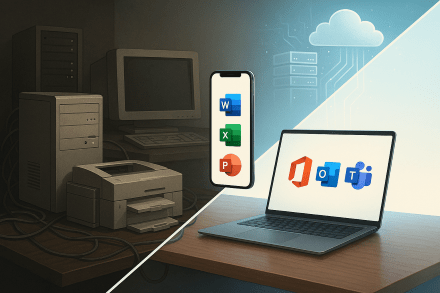
For a typical SMB using M365 Business Premium with a fully remote workforce, a basic firewall is still a necessary foundational element, but a high-priced, advanced enterprise-grade firewall is no longer a cost-effective or strategically sound investment. The security focus has decisively shifted from the traditional network perimeter to the identity and data perimeters, which M365 Business Premium is explicitly designed to protect.
Here’s a detailed breakdown illustrating why and how M365 redefines the need for expensive hardware.
1. The Changing Landscape: The “Deperimeterized” World
The concept of a “network perimeter” is nearly obsolete for companies with remote employees. When staff work from home, coffee shops, or other offices, they are connecting directly to the internet, completely bypassing the company’s hardware firewall.
- Traditional Model: Internet -> Corporate Firewall -> Internal Users/Data
- Modern Model (Remote Work): Internet -> User’s Home Router -> M365 Cloud Services (Email, Files, Teams)
The new “perimeter” is the user’s identity and their devices. Therefore, investing thousands of dollars in a fortress-like firewall to protect an empty castle (the office) is a misallocation of resources. The budget is better spent securing the identities and data that are now everywhere.
2. How M365 Business Premium Can Replace Firewall Functions
A fully configured M365 Business Premium provides layers of security that replicate or surpass the capabilities of a traditional firewall for the remote workforce. Think of it as a “firewall in the cloud” that follows each user.
a) Replacing Network Threat Prevention
- Firewall Function: Inspects incoming/outgoing web traffic for malware, phishing, and malicious sites.
- M365 Equivalent: Microsoft Defender for Office 365 (Plan 1)
- Safe Links: Scans URLs in emails and Office documents in real-time. Even if a user clicks a malicious link, they are blocked before reaching the site, negating the need for the firewall to filter that DNS request.
- Safe Attachments: Opens emails with attachments in a virtual sandbox to detect malicious behavior before the email is ever delivered to the user’s inbox. This is more effective than a firewall simply blocking a file type.
b) Replacing Content Filtering & DNS Security
- Firewall Function: Blocks access to inappropriate or dangerous websites.
- M365 Equivalent: Microsoft Defender for Endpoint & Web Content Filtering
- Web Content Filtering: This is a core feature of Defender for Endpoint (included in Business Premium). It allows you to create policies that block access to specific website categories (e.g., adult content, malware sites, gambling) on the endpoint itself, regardless of network location. Whether the user is at the office, at home, or on a public WiFi, the policy is enforced. This makes network-level DNS filtering on a firewall redundant for company devices.
c) Replacing Intrusion Prevention & Advanced Threat Protection
- Firewall Function: Detects and blocks sophisticated attacks and exploits.
- M365 Equivalent: Microsoft Defender for Endpoint (Integrated)
- This is a next-generation antivirus (NGAV) and Endpoint Detection and Response (EDR) solution. It monitors endpoints (computers, phones) for malicious activity, behavioral anomalies, and vulnerability exploitation. It detects and responds to threats that have bypassed other defenses, a function far beyond what a standard firewall does for a device already on the network.
d) The Ultimate Firewall Replacement: Zero Trust with Conditional Access
This is the most powerful concept. Instead of trusting a device because it’s on the corporate network (a flawed model), Zero Trust means “never trust, always verify.”
- M365 Tool: Azure Active Directory Conditional Access
- You can create policies that act as dynamic, identity-centric firewalls. For example, you can configure a policy that states:
- “If a user tries to access company email from a device that is not Marked as Compliant by Intune (e.g., it doesn’t have disk encryption, a password, or an antivirus), then block access completely.”
- “If a login attempt comes from a country we don’t operate in, block it.”
- “Require Multi-Factor Authentication (MFA) when accessing SharePoint from outside the office network.”
- You can create policies that act as dynamic, identity-centric firewalls. For example, you can configure a policy that states:
3. The Role of a “Basic Firewall”
A basic firewall is still a worthwhile, minimal investment for the following reasons:
- Protecting the Physical Office: It still provides essential Network Address Translation (NAT) and a basic stateful inspection barrier for any on-premise equipment (e.g., a local file server, printers, VoIP system).
- Segmenting IoT Devices: Isolating “smart” devices (thermostats, cameras) on a separate network from business-critical systems.
- First Line of Defense for On-Site Users: It provides a layer of security for any employees who do work in the office.
A basic, modern firewall from vendors like Ubiquiti, Fortinet (FortiGate 40F series), or Cisco (Meraki MX) is sufficient for these tasks and is relatively inexpensive.
Cost-Effective Security Architecture for a Remote-First SMB
| Security Layer | Traditional Approach (Costly) | Modern Approach (Cost-Effective) |
|---|---|---|
| Network Security | High-end enterprise firewall ($3k+ + annual fees) | Basic Firewall ($500 – $1k) for the office. |
| Threat Prevention | Firewall subscription for IPS/IDS | Defender for Office 365 (Included in M365 BP) |
| Web Filtering | Firewall subscription for DNS filtering | Defender for Endpoint Web Content Filtering (Included) |
| Endpoint Protection | Separate third-party antivirus subscription | Defender for Endpoint (Included) |
| Access Control | VPN to get “inside” the network | Azure AD Conditional Access (Included) |
| Device Management | Limited or separate tool | Intune (Included for device compliance) |
| Data Protection | Separate DLP appliance/software | Microsoft Purview DLP (Included for email/files) |
Conclusion and Recommendation
No, it is not a worthwhile option to purchase high-priced firewall devices for an SMB whose workforce is primarily remote and is using M365 Business Premium.
The investment is dramatically more effective when directed towards:
- Properly licensing and configuring M365 Business Premium to its full potential. This is where 80% of your security gains will be made.
- Purchasing a capable but cost-effective basic firewall to protect the office network segment.
- Investing in user security training to create a human firewall, as many attacks (phishing) target users directly.
By fully leveraging the security stack in M365 Business Premium, you build a dynamic, identity-centric security model that protects users, devices, and data anywhere in the world, making an expensive hardware firewall an outdated solution for the remote work paradigm.
 CIAOPS
4 thoughts on “How M365 redefines the need for expensive hardware”