
Introduction
Artificial Intelligence is rapidly becoming a co-pilot in our daily work lives. Microsoft 365 Copilot – an AI-powered assistant integrated into familiar apps like Word, Excel, PowerPoint, Outlook and Teams – promises to help businesses achieve more with less effort[1]. For small and medium-sized businesses (SMBs), Copilot can be a game-changer, automating tedious tasks, generating insights, and freeing teams to focus on high-value work. Yet, embracing AI is as much a cultural journey as a technical one. Many teams greet these tools with caution or even skepticism, worried about job security, trustworthiness of AI outputs, or simply how it will change the way they work. In fact, a recent survey found 45% of CEOs say their employees are resistant or even hostile to AI in the workplace[2]. Likewise, over a third of workers fear that AI could replace their jobs[3]. These apprehensions are understandable – and addressable.
This post will explore how SMBs can transition “from skepticism to success” with AI by leveraging Microsoft 365 Copilot. We’ll cover what Copilot does and its benefits, identify the common fears teams have, and outline strategies to build a pro-AI culture that encourages engagement. By tackling the human side of AI adoption – through transparency, training, leadership and small wins – your organisation can turn apprehension into enthusiasm, ensuring AI tools like Copilot are embraced as helpful teammates rather than feared as threats. The end result? A confident, AI-literate workforce and a business reaping the productivity rewards of modern technology.
Microsoft 365 Copilot: What It Is and Why It Matters for SMBs
Microsoft 365 Copilot is an AI assistant woven into the Microsoft 365 suite. It pairs with the apps your team already uses every day – Word, Excel, PowerPoint, Outlook, Teams, and more – to help with content creation, data analysis, and workflow automation[1]. Rather than being a separate tool, Copilot lives alongside your documents, emails and chats, ready to generate suggestions or handle tasks via simple prompts. For example, you can ask Copilot in Word to draft a document or summarise a report, have Copilot in Excel analyse a dataset for trends, use Copilot in Outlook to condense a long email thread, or even have Copilot in Teams recap key points from a meeting[1]. It’s powered by advanced large language models (like GPT-4) that are securely connected to your organisation’s data (through the Microsoft Graph). Importantly, Copilot respects your existing permissions and privacy – it will only draw on content the user already has access to, so no one sees data they shouldn’t[1]. In short, Copilot brings the smarts of generative AI directly into the workflow of your business, acting as an ever-ready co-worker that never tires of the drudge work.
Key capabilities of Microsoft 365 Copilot include:
- Content Generation & Editing: Drafting emails, documents, presentations and more from a brief prompt. Copilot can produce personalised email drafts in seconds, help rewrite text in different tones, or generate slides from a document outline[4][4]. This means a marketing proposal or customer response that once took hours can be prepared in a fraction of the time.
- Intelligent Summarisation: Understanding and distilling information. It can digest a long report or a lengthy email chain and give you the key points instantly[4]. Copilot will summarise meetings or chats to ensure team members who missed a discussion can catch up quickly[1]. In an SMB where people wear multiple hats, not everyone has time to read every document – Copilot helps ensure nothing important slips through the cracks.
- Data Analysis & Insights: Acting like a junior data analyst. Copilot can identify trends in sales numbers, generate charts, or answer questions about data in Excel (e.g. “Which product line grew the fastest this quarter?”)[4]. By discerning patterns and visualising data, it helps teams make informed decisions without needing a full-time data scientist[4].
- Creative Brainstorming: Serving as a creative partner. When you’re stuck writer’s block or need fresh ideas, Copilot can offer alternative phrasing, generate brainstorming lists, or suggest creative content angles[4]. For instance, it might propose five social media post ideas for an upcoming product launch, jumpstarting your marketing creativity.
- Workflow Automation & Collaboration: Smoothing collaboration and routine processes. Copilot can translate documents on the fly, assist with project management by summarising action items, and even help co-author content in real-time[4]. By integrating with tools like Planner and Teams, it can remind you of deadlines or draft status updates. Routine tasks – from scheduling meetings to preparing meeting agendas – can be accelerated with AI assistance.
Why Copilot is a boon for SMBs: Small and mid-sized businesses often have limited resources and people juggle multiple roles. Copilot effectively gives your team a versatile “extra pair of hands” that can tackle the grunt work and augment everyone’s skills. Mundane tasks (formatting a document, drafting a routine email, compiling data) get offloaded to AI, so your employees can focus on strategic, customer-facing, or creative endeavors. This translates to time saved and higher quality output. In Microsoft’s early trials, SMB leaders reported using Copilot led to a 12% faster time-to-market for new products and services, on average[5] – a significant efficiency boost. Real-world small businesses are already seeing concrete gains: one startup construction firm found that Copilot let their team write customer proposals 6× faster, enabling them to chase more opportunities and revenue[5]. Another software company cut the time their customer success team spent on data analysis by 75% using Copilot, meaning they could provide clients with insights far more quickly[5]. These examples show how, when effectively used, Copilot can amplify a small team’s productivity and even open up new business capacity.
Benefits of AI Assistance for Small Teams
Let’s summarise some of the key benefits Microsoft 365 Copilot can deliver to an SMB – essentially, why overcoming AI skepticism is worth it. Below are several high-impact advantages and how they help small businesses punch above their weight:
- Operational Efficiency & Time Savings: Copilot excels at automating repetitive, time-consuming tasks. It can generate drafts, translate text, or sift information in seconds[4], liberating employees from hours of grunt work. For example, instead of manually combing through a 50-page report, an employee can ask Copilot for the key takeaways. This frees up time for strategic work or client engagement[4]. In a small business where “everyone does everything,” these hours gained are gold.
- Enhanced Communication & Content Quality: Crafting compelling emails, presentations, or marketing copy is easier with Copilot as a writing assistant. It can suggest more impactful wording, adjust tone and language, and even provide creative ideas for content[4]. The result is polished, persuasive communications without needing a dedicated copywriter. Whether it’s a sales proposal or a social media post, Copilot helps ensure the message lands with clarity and resonance[4].
- Data-Driven Decision Making: The phrase “we’re too small for business intelligence” no longer applies. Copilot acts as a data analyst by highlighting trends, generating summaries and visualisations from raw data[4]. It can turn a dump of sales numbers into a neat report of trends and anomalies. This capability means even SMBs can quickly derive actionable insights from their data to guide decisions on marketing strategy, inventory, budgeting and more[4]. In short, AI helps leadership make informed choices backed by data, not gut feel.
- Seamless Collaboration: Copilot can improve teamwork by making information sharing and co-authoring smoother. It facilitates real-time collaboration – for instance, translating messages between languages instantly or consolidating feedback from multiple team members into one document[4]. Everyone stays on the same page (sometimes literally, if Copilot is helping maintain a single source-of-truth document). This reduces miscommunication and project delays. A more collaborative environment fuels innovation and boosts overall productivity[4], as people spend less time coordinating and more time creating.
- Customer Experience and Responsiveness: AI assistance isn’t just inward-facing – it also helps improve how you serve customers. With Copilot’s help, customer queries can be answered faster and more consistently. For example, Copilot can draft personalized replies to customer emails or even power an intelligent chatbot on your website. Microsoft’s Copilot technology enables personalised customer experiences by analysing customer data to tailor product recommendations and messages to each individual[4]. This kind of personal touch at scale can deepen customer engagement and boost conversion rates[4]. Moreover, Copilot can help deliver speedy customer service – automating common support interactions and providing employees with quick summaries of a customer’s issue, which leads to faster resolution. The outcome is happier customers who get timely, relevant attention, helping SMBs stand out against larger competitors[4].
- Innovation & Growth Opportunities: By handling routine tasks, Copilot gives small teams more breathing room to think big. Employees can redirect their effort to brainstorming new products, refining services, or improving processes. In some cases, AI can even contribute directly to innovation – for instance, suggesting prototype designs or generating variations of an idea to spark creativity[4]. Small businesses can iterate quicker: using Copilot to rapidly mock up concepts, gather feedback, and refine solutions accelerates the innovation cycle[4]. This agility helps SMBs grow and differentiate in the market.
Bottom line: The benefits of Copilot go beyond just doing the same work faster – it enables qualitatively better work and new capabilities for small teams. Reports of productivity gains (like faster sales proposals or reduced analysis time) are tangible, but there’s also improved quality, consistency, and creative output that are hard to measure but very much felt. However, to unlock these benefits, employees first need to be willing and able to use the AI tools at their disposal. That brings us to the crux of the matter: overcoming the initial skepticism and fears that often accompany the introduction of AI in a team.
Why the Skepticism? Common Apprehensions About AI in Teams
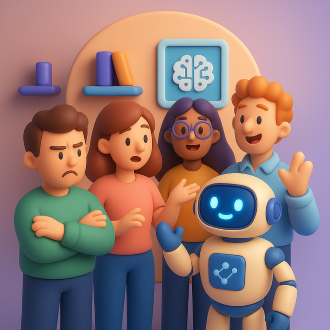
Despite the clear advantages, it’s normal for team members to have reservations when AI tools like Copilot are first introduced. Change can be unsettling, and AI – often perceived as a “black box” or as a technology that might upend jobs – tends to trigger specific anxieties. Understanding these common apprehensions is the first step to addressing them. Here are the primary concerns employees (and managers) may have:
-
“Will AI take my job?” – Job Security Fears: The most visceral fear is that adopting AI will make one’s role redundant. Many employees worry that if Copilot can draft documents or answer questions, perhaps management will find them less valuable or consider cutting positions. This apprehension is widespread; in one survey, 38% of workers feared AI might replace their jobs[3]. The anxiety is often fuelled by media narratives of automation and by not understanding how AI will be applied. In an SMB, where employees often have deep, multi-year experience in their roles, the idea of a newcomer (especially a non-human one) encroaching on their responsibilities can understandably cause resistance.
-
Lack of Trust in AI Outputs (Quality & Accuracy): Even if employees aren’t afraid of losing their job to AI, they might not trust the work the AI produces. Will Copilot’s email draft accidentally convey the wrong message or tone? Could an AI-generated analysis be incorrect or miss a nuance that a human would catch? There’s a concern that using AI could introduce errors, embarrassments, or even compliance risks. This skepticism is healthy to a degree – AI is not infallible – but if it’s not addressed, people may reject the tool outright or only use it at bare minimum, negating its value. Trust is also about understanding: if the AI’s process is a mystery, users might hesitate to rely on it for anything important.
-
Skills Gap & Fear of the Unknown: For some team members, especially those less tech-savvy, there’s a worry that “I don’t know how to use this AI”. They might feel intimidated by the new tool, unsure what to ask it or how to interpret its responses. This can lead to a general sense of inadequacy or fear of looking foolish. Surveys have shown that workforce skills gaps are a major barrier in AI adoption – many organisations find their employees aren’t prepared to leverage AI tools effectively[2]. If not proactively trained, staff may stick to old manual ways simply because they’re comfortable and certain doing so, rather than venturing into unfamiliar AI-assisted workflows.
-
Change Fatigue or Cultural Resistance: Sometimes the pushback isn’t about AI per se but change in general. “We’ve always done it this way” – introducing AI might upend established processes and routines. Employees who have honed their way of working might feel frustrated or threatened having to alter it. There can also be generational or cultural differences in openness to new tech; some may see using AI as an unwanted disruption or even as a gimmick. If previous tech rollouts were handled poorly, the workforce might carry residual cynicism (“Here comes another shiny tool from management that will fade away”). Without proper change management, even a great AI tool can meet a wall of indifference or quiet sabotage.
-
Privacy and Ethical Concerns: Team members might worry about how data is used by AI. Questions arise like: “Will Copilot expose confidential information from our files?” or “Is our data safe, or will it be used to train some external AI model?” Especially if the business handles sensitive client data or operates in a regulated industry, these worries are valid. Employees might also have ethical questions – for example, is it right to have AI draft content that a client might think a human wrote? There may be a concern about loss of the human touch in work products or interactions, which some team members value highly.
-
ROI Doubts and Leadership Skepticism: On the management side (especially in very small businesses where the owner is involved in tech decisions), there can be skepticism about whether the promised benefits will really materialise. Will the team actually save time, or will they struggle with the tool? Is the cost (Microsoft 365 Copilot is a paid add-on in many cases) justified? If leadership is lukewarm or unsure, that vibe often trickles down to employees as well – resulting in half-hearted adoption. In some industries, leaders have noted they’re not sure if AI will deliver a strong return on investment, or if it’s just a hype train [6]. Such uncertainty can make the whole organisation reluctant to commit to using AI enthusiastically.
Acknowledging these concerns openly is crucial. They are not signs of stubbornness or inability, but natural human responses to something new. In fact, studies have found that organisations which address trust, change management, and skill gaps head-on are far more successful in AI adoption than those that don’t[2][2]. So, how can an SMB leader or team lead turn things around – easing these fears and encouraging the team to give Copilot a real chance? The answer lies in a thoughtful change strategy focused on people, outlined next.
Building a Pro-AI Culture: From Apprehension to Engagement
Successfully integrating AI into your team isn’t just about installing a new tool – it’s about fostering a culture and mindset that embraces innovation. The goal is to evolve from initial wariness (“Why is this AI here?”) to a point where AI is a welcomed collaborator (“How did we ever live without it!”). This cultural shift doesn’t happen automatically; it requires deliberate leadership and employee engagement efforts. The encouraging news: with the right approach, even a skeptical team can become enthusiastic adopters. Companies that prioritise their people in the AI rollout – through training, transparency and support – reap the benefits, whereas those that neglect the human factor often “miss out,” as one tech leader put it[2][2].
Below are key strategies to overcome AI apprehension and encourage engagement, tailored for SMB teams. Think of these as the building blocks of an AI-friendly culture:
1. Lead with Leadership and Vision
Change starts at the top. Active, visible leadership support for AI adoption is vital to set the tone. Leaders and managers should communicate a clear vision of why the organisation is implementing Copilot and how it will help both the business and employees. Emphasise that adopting AI is a strategic move to stay competitive and lighten employees’ loads, not just a fad. Crucially, leaders must also walk the talk: use Copilot and AI tools openly yourself to solve real problems. When team members see their boss drafting an email with Copilot or proudly sharing an AI-generated report (and crediting the AI for assistance), it sends a strong message that “we’re in this together” and that trying the tool is encouraged. Microsoft’s adoption experts advise that leaders practice the “ABC” of engagement – Active, consistent participation; Building coalitions of support among other influencers; and Communicating directly with employees about the change[7]. In an SMB, this could mean the business owner or team leads frequently talking about AI in meetings, sharing success stories, and addressing concerns in person. Also consider appointing an executive sponsor for the AI rollout (in a small business this might be the owner or a tech-savvy manager) who is accountable for its success and keeps the momentum going[7]. The core idea is that leadership’s attitude will be mirrored by the team – if you demonstrate optimism, curiosity and commitment regarding Copilot, your team is far more likely to give it a sincere try.
2. Foster Transparent Communication
Transparency is the foundation of trust. One of the worst things a company can do is spring AI on employees with little explanation. Instead, initiate an open dialogue from day one. Clearly **explain what Copilot is going to do in your workplace and what it *will not***[3]. Address the elephant in the room by stating outright that Copilot *is a tool to enhance roles, not replace them*[3]. For example: “Copilot will help automate drafting and research tasks so that *you* can spend more time on creative and client-facing work. We are not reducing headcount because of this – we want everyone to uplevel their work with AI, not lose their jobs.” Laying out specific use cases helps employees see where they fit in this new picture (e.g. “Copilot might take care of first draft of the weekly newsletter, but Jane will always review and add the personal touch she does so well”).
It’s also important to invite questions and discussions. Set up forums or regular check-ins where the team can voice worries: “How will my performance be evaluated when using AI?” “What if Copilot makes a mistake – who is accountable?” and so on. When employees feel heard, their anxiety diminishes. Some organisations hold AMA (Ask Me Anything) sessions about AI, or create an internal FAQ document that addresses common queries. Anonymous feedback channels (like a quick pulse survey) can allow people to express concerns they might be shy to say publicly[3]. As you answer these questions, be honest about uncertainties but also share evidence or assurances where possible. For instance, if people worry about data security, explain that Copilot inherits Microsoft 365’s robust security and compliance measures – it won’t expose data to anyone without proper access, and all interactions are encrypted and privacy-compliant[7]. If people wonder about AI accuracy, clarify that employees are expected to review AI outputs and that it’s a learning process for both humans and AI.
A powerful stat underlining transparency: 75% of employees said they’d feel more excited about AI if their organisation openly communicated its plans for the technology[3]. In practice, this means share your roadmap: “This quarter, we’ll pilot Copilot in the marketing team for content creation and in finance for report generation. Next quarter we plan to roll it out company-wide, assuming things go well. Here’s how we’ll gather feedback and decide next steps…”. When people see a plan and know what to expect, the mysteriousness of AI fades. In a culturally diverse or geographically dispersed team, ensure this communication is happening across the board so no one feels left in the dark. Ultimately, open communication – frank talk about AI’s purpose, progress, and guardrails – will help ease fears and build buy-in[3][3].
3. Invest in Training and AI Literacy
The old adage “knowledge dispels fear” holds very true for AI. Often, the difference between an employee who’s anxious about Copilot and one who’s eager is just exposure and understanding. By upskilling your team to be more AI-literate, you empower them to use Copilot confidently and reduce their apprehension. Start with the basics: offer training sessions that introduce what Copilot is, demonstrate how to use it in day-to-day tasks, and outline best practices. Hands-on workshops are ideal – let employees actually try prompting Copilot in a safe environment. For example, run a fun exercise like “use Copilot to draft a birthday message to a client” or “have Copilot create a 5-slide overview of one of our products” so everyone gets familiar with the mechanics. The emphasis should be on learning by doing; research indicates the best way to build comfort with AI is to let people experiment with it in low-stakes situations[8]. This could mean setting up an internal sandbox or encouraging staff to practice with non-critical tasks where any mistakes are easily corrected and won’t harm the business[8].
Make training relevant to roles and workflows. An accountant might get training on using Copilot to reconcile budgets in Excel, while a salesperson learns how to have Copilot draft a proposal email. When training is tailored, people see the immediate value for their job, which increases motivation to learn[8]. Also highlight current AI features they might not realise they’re already using – for instance, many employees don’t notice that Outlook suggesting replies or Teams auto-generating meeting transcripts are AI-driven features already in their world[8]. Showing these examples can elicit “aha!” moments and make AI feel less alien.
Encourage a mindset that AI is a skill to be learned, not a magic box. Teach practical essentials like how to craft effective prompts (e.g. “If Copilot’s answer isn’t what you need, try wording your request differently or providing more context”), how to review and refine AI outputs, and how to integrate those outputs into their work product smoothly[8]. It’s also useful to train on where human judgment is still required: for instance, “Copilot can draft an analysis, but you should verify the numbers and ensure conclusions make sense.” By delineating AI’s strengths and limits, you reinforce that employees’ expertise is still critical, alleviating the fear of “AI doing everything.”
One study by SAP found that employees with higher AI literacy (knowing how to use and understand AI) were far more optimistic and far less fearful about AI’s role at work[8][8]. In other words, investing in education directly combats apprehension. The same study identified structured training and an AI-literate culture as core strategies for successful adoption[8]. So, consider various forms of learning: formal courses, peer training (more on that next), and continuous learning resources. Some organisations create an internal AI knowledge base or leverage Microsoft’s Copilot learning resources (like the “Copilot Prompt Gallery” or “Skilling Center”)[1]. Also, stay patient – not everyone will become an AI whiz overnight. Provide ongoing support (maybe a drop-in “Copilot Q&A hour” each week) and recognise that making your workforce comfortable with AI is a gradual but immensely rewarding process. When employees feel competent using Copilot, they’ll view it as an enabler rather than a threat[3][3].
4. Empower Champions and Peer-to-Peer Learning
Leverage the power of your people to drive AI adoption from within. In any team, there will be early adopters – those who are naturally curious about Copilot or quick to see its potential. Identify and empower these “AI champions” across different departments or units[3]. An AI champion is a go-to person who can advocate the use of Copilot, help teammates with questions, and share success stories of how they used it. For example, if one sales rep discovers a great way to use Copilot to generate tailored pitches, that person can become the Copilot champion for the sales team, showing others how it’s done. By formally acknowledging these influencers (even just calling them out in a meeting as “our Copilot Champion”), you give them license to spend time helping others get on board.
Champions make adoption a grassroots, collaborative effort rather than only a top-down mandate[3]. Colleagues may be more comfortable admitting confusion or skepticism to a peer than to a boss. Champions can address concerns in real time (“I was nervous about the data quality too, but here’s how I double-check Copilot’s work, it’s actually been fine”) and can demonstrate the tool in the context of actual team tasks. This peer assistance can rapidly convert fence-sitters when they see someone at their same level succeeding with the AI. In addition, consider creating a Champions Community – essentially a group (virtual or in-person) where the AI champions from each team regularly meet to swap tips, troubleshoot issues, and coordinate adoption efforts[3]. This cross-pollinates ideas (the marketing champion might share a Copilot use case that the finance champion can also try, for instance) and builds a support network that multiplies the impact of training. It also ensures champions keep learning themselves and stay ahead of the curve as Copilot evolves[3].
Beyond designated champions, foster general peer learning and knowledge sharing about AI. Encourage teams to explore Copilot together during meetings or brainstorming sessions. One effective approach is to give small groups a challenge like “In our next team meeting, each person share one thing you tried with Copilot and what the result was.” This makes experimenting a shared experience and perhaps a fun competition. Leaders can “spotlight early adopters” by having them demo their use cases to the whole team[8]. For example, an admin assistant who mastered using Copilot to schedule and summarise meetings can present that workflow to everyone. Such peer-driven showcases make AI learning contagious, as colleagues often trust the experiences of their peers. In addition, set up internal channels or chats (e.g. a Teams channel called #copilot-tips) where anyone can post quick tips, ask questions (“Has anyone used Copilot for Excel formulas? Got weird results, any advice?”), and share small victories[8]. Recognise and celebrate those wins (a simple emoji reaction or a shout-out from a manager for a good tip shared) to reinforce positive usage. This way, AI adoption becomes woven into the social fabric of the organisation – people learn from and motivate each other, and no one feels alone in figuring it out.
5. Start Small, Show Wins, and Manage Change Gradually
Trying to do everything with AI at once can overwhelm your team. A smarter strategy is to start with a pilot or a few targeted use cases that are likely to succeed, then build on that success. Pick an area of your business where Copilot can address a clear pain point – for example, if report writing is a bottleneck, focus the initial AI use there. Alternatively, start with a volunteer team or a specific project that is enthusiastic about experimenting. By containing the scope initially, you make the change feel manageable. Importantly, set tangible goals or metrics for this pilot (“reduce time spent on weekly status reports by 30%” or “each support agent uses Copilot for at least 2 customer emails per day”) and track progress[6]. When the goals are met, publicise that outcome company-wide: “In Q1, the support team’s Copilot trial helped cut their average email response time from 4 hours to 2 hours – fantastic job, team!”. Early “quick wins” are crucial to winning over skeptics. They provide proof that AI can deliver value without causing chaos, turning abstract benefits into concrete results your employees can appreciate.
At the same time, practice good change management discipline for the broader rollout[3]. Treat the introduction of Copilot like any other significant organisational change: plan it, communicate it, support it, and iterate on it. Ensure every team member knows the timeline (when training will happen, when they’re expected to start using Copilot, etc.) so it doesn’t feel sudden or disjointed. Provide resources (job aids, cheat sheets for writing prompts, a point of contact for questions) to smooth the transition. Involve employees in the process – for instance, after the pilot, gather feedback and incorporate it into the next phase. If an employee says, “Copilot’s suggestions often miss our product terminology,” perhaps update the AI’s prompts or provide it with a glossary, and let the team know you acted on their input. This inclusion makes people feel they have some control and influence, rather than feeling that AI is being “forced” on them[3].
Also, be upfront about potential challenges and how you plan to address them (we’ll discuss common challenges and mitigations in the next section). By acknowledging things like “We know the AI won’t be perfect – there will be errors, and that’s why we require human review of all Copilot outputs for now,” you set realistic expectations and avoid disillusionment. Effective change management means continuously communicating, training, and adjusting: it could take weeks or months for the new workflows with AI to stabilise, so maintain support throughout. If you notice adoption is lagging in one department, have a focus session with them to understand why – maybe they need more role-specific examples or a refresher training. On the flip side, if another group is excelling, consider increasing the challenge for them (perhaps integrating Copilot into more complex tasks) to keep them engaged and show others what’s possible.
The key is a phased, empathetic rollout: introduce AI gradually, celebrate the early successes, learn from the stumbles, and keep expanding. This approach builds confidence at each step. As one expert noted about lagging industries in AI, companies can incorporate AI at a pace they are comfortable with, ideally using modular solutions that integrate with existing systems so you don’t have to overhaul everything at once[6]. Microsoft 365 Copilot fits that bill – it slots into tools you already use, meaning you can adopt it incrementally (maybe start with Outlook and Word, then later in Excel and Teams, etc.). By managing the change thoughtfully, you transform the narrative from “AI is a disruptive threat” to “AI is an evolving tool we’re mastering together.”
6. Address Concerns, Reinforce Positives, and Keep Communication Open
Even with all the above measures, some level of concern might linger – and new questions will arise as people begin using Copilot in earnest. Maintaining open communication channels throughout the adoption process is critical. Encourage team members to continuously share their experiences – what they love, what frustrates them, where they need help. Regular check-ins (for example, a weekly 15-minute stand-up dedicated to “Copilot learnings”) can keep a pulse on morale and usage. If someone voices a worry (“I’m still not comfortable trusting Copilot to draft client emails”), don’t brush it aside. Dig into why – perhaps they had a specific bad output – and work through it. You might pair them with a champion to shadow how they use Copilot for that task, or refine an approach together.
At the same time, reinforce the positives. Each time a milestone is hit or a success story emerges, acknowledge it. This could mean sharing user testimonials internally: e.g. “Our HR manager, Alice, said Copilot helped her create a job description in 10 minutes, a task that used to take an hour!” This not only celebrates Alice (making her feel great and others curious), but it underlines that the tool is making a difference. You could also share external stories for inspiration – for instance, how a similar company or competitor benefited from AI, to show it’s becoming the norm. Microsoft frequently publishes case studies of small businesses leveraging Copilot effectively; circulating one or two of these can build confidence that “if they can do it, so can we.” (Recall the examples earlier: proposals 6× faster at a construction firm, analysis time cut 75% at a software company[5] – powerful anecdotes that can motivate your team to aim for similar gains.)
Make sure to tackle any setbacks constructively. If an AI-generated error occurs (maybe Copilot misunderstood something and an incorrect figure went out in a report), treat it as a learning opportunity rather than a fiasco. Discuss openly what went wrong and how to prevent it (perhaps adjusting validation procedures or tweaking how prompts are given). This ties back to transparency and trust – showing that the company is aware of issues and addressing them will actually increase trust over time. It proves to skeptics that management is not blindly pushing AI but is committed to deploying it responsibly.
Lastly, keep reminding everyone that the ultimate goal is a partnership between AI and humans. As one blog nicely put it, it’s the people behind the technology who truly drive innovation[3]. The AI is a tool – a powerful one, but still a tool – and the human team is in the driver’s seat for how it’s used. Encourage a culture where using Copilot is seen as a smart way to work (not cheating or cutting corners), and where not using available tools might actually be seen as a missed opportunity. By normalising AI as an everyday helper, over time it becomes an accepted part of the workflow. The initial drama fades, and what was once novel (“I can’t believe a robot is helping write our newsletter!”) becomes routine (“Time to run this draft by Copilot and see if we missed anything”). That’s when you know skepticism has truly turned to success – when AI is simply embedded in how your team operates, to the point that one day you can’t imagine working without it.
Real-World Success Stories: From Apprehension to Advantage
To bring all these recommendations to life, let’s look at a few brief case studies of SMBs that embraced AI tools like Copilot and reaped the rewards. These examples illustrate how addressing cultural barriers and adopting AI prudently can yield impressive outcomes:
-
ICG Construction – Winning More Business with AI: ICG, a small construction startup, was initially skeptical about whether AI could help in such a “hands-on” industry. They started by using Microsoft 365 Copilot in their sales team, specifically to draft customer proposals. Early training and a pilot round showed the sales reps that Copilot could produce solid first drafts of proposals, which they could then refine. The result: the team managed to write proposals six times faster than before, dramatically shortening their sales cycle[5]. Because reps spent far less time per proposal, they could pursue more opportunities and increase revenue without adding headcount. Seeing these wins, the company’s leadership and staff became enthusiastic about expanding Copilot to other documentation tasks. What began as a small experiment quickly turned into a competitive advantage for ICG, easing their skepticism as tangible success rolled in.
-
PKSHA Software – Faster Insights, Happier Clients: PKSHA, a software development firm (SMB-sized), had consultants who were cautious about relying on AI for data analysis – would it really understand their complex datasets? Through careful onboarding and by assigning an internal AI champion, they introduced Copilot to assist the customer success team in analysing client usage data and support tickets. Copilot could rapidly crunch through logs and highlight common issues or trends. Over a short period, PKSHA reported that Copilot reduced the time spent on data analysis by 75% for that team[5]. This meant their consultants could provide insightful recommendations to customers far more quickly[5]. The customers noticed the faster responses and improved answers, leading to higher satisfaction. Internally, the success team – once wary that an “algorithm” might not grasp nuance – became strong advocates for Copilot after seeing how it augmented (not diminished) their ability to serve clients.
-
IDT (Innovative Defense Tech) – Embracing AI in a Traditional Field: IDT is a small-to-mid-sized defense contracting business – a sector known for caution and strict standards. Initially, one might expect high skepticism here, yet IDT’s leadership took a forward-looking approach. They rolled out Microsoft 365 Copilot company-wide as one of the first in their industry, pairing the deployment with robust change management. They established clear guidelines (e.g. always review AI outputs, don’t feed it classified info) to address employees’ security concerns and set up an “AI Council” internally to guide adoption. The results were highly encouraging across various functions – from program management to software development – with teams reporting faster workflows and new efficiencies[5]. The Chief Information and Operations Officer, Rob Hornbuckle, noted that AI like Copilot held “tremendous potential for enhancing our capabilities” and saw it as key to accelerating delivery of solutions to their client (the Department of Defense)[5]. IDT’s example underscores that even in organisations where initial skepticism may be strong, a proactive and well-supported AI strategy can turn resistance into excitement. Their employees, seeing leadership’s commitment and the positive early outcomes, became eager to continue expanding Copilot’s use.
These stories share a common thread: a focus on specific, measurable improvements and an inclusive rollout. The teams didn’t adopt AI blindly – they paired it with training, oversight, and leadership backing, which melted away skepticism. Each organization addressed their team’s questions (be it speed, quality, or security), demonstrated quick value, and thus earned buy-in for broader AI engagement. SMBs can take a cue from these cases – start where AI can visibly help, involve and support your people, and success will breed more success.
Potential Challenges and How to Mitigate Them
Integrating AI like Copilot into workflows is not without its challenges. It’s important to be realistic about these and plan mitigations so that initial enthusiasm isn’t derailed by unforeseen issues. Here are some common challenges SMBs may face when adopting AI, along with strategies to address them:
-
Initial Productivity Dip: As with any new tool, there may be a learning curve where things take a bit longer before they get faster. In the first few weeks of using Copilot, employees might spend extra time figuring out how to phrase prompts or double-checking AI outputs. This can be frustrating if not anticipated. Mitigation: Set expectations that an initial adjustment period is normal. Encourage the team that this is an investment – like training a new employee, you put in time now to reap efficiency later. Provide “just in time” support (e.g. have an expert on call to help with queries in real-time during the first week of use). Celebrate small improvements to show momentum. Most importantly, continue reinforcing training and sharing tips/tricks so the learning curve smooths out quickly. Employees will soon hit the inflection point where using Copilot becomes second nature and the productivity gains kick in.
-
AI Mistakes or Inaccurate Outputs: Copilot can occasionally get things wrong – perhaps misinterpreting a request or generating irrelevant content. If users encounter mistakes without a plan, they might lose trust in the tool. Mitigation: Implement an approach of human oversight for all AI-generated content, especially early on. For example, if Copilot writes an email draft, the user must review and edit it before sending (which is likely company policy anyway). Teach users how to improve outputs by refining prompts or giving more context, rather than giving up after a bad result. For critical calculations or data-driven answers, ensure a human cross-verifies with source data. Over time, as Copilot learns your organisation’s content and users learn to use it better, the error rate should drop. Also, capture errors as learning moments – if Copilot consistently errs in a particular scenario, feed that back to Microsoft (through the feedback tools) and adjust how you use it in that case. Building a repository of “known quirks” and their workarounds internally can help teammates avoid common pitfalls. By maintaining this safety net of review and feedback, you prevent occasional AI slip-ups from undermining the whole initiative.
-
Data Security and Privacy Concerns: As noted, people may worry about sensitive data being mishandled by AI. While Microsoft 365 Copilot is designed with enterprise-grade security (it honours all your existing permissions, identity and compliance rules[7]), these features need to be communicated and utilised properly. Mitigation: Work with your IT admin (or whoever manages M365) to configure Copilot settings in line with your privacy requirements. Educate employees on what is safe to ask Copilot and what is not – for example, you might forbid using Copilot for drafting documents that contain client personal data, if that’s an internal rule, or reassure them that anything they do in Copilot stays within your tenant’s boundary. It may help to show official info (Microsoft’s documentation) about Copilot’s privacy and security measures[7] to build confidence. Also, reinforce that Copilot is not training on your prompts/data in a way that others can see – a fear some have due to hearing about public AI models. In summary, keep data governance tight and transparent: demonstrate that you’ve done due diligence to keep the organisation safe while using AI. If any compliance workflow is required (maybe logging AI-generated content for audit), implement that from the start so employees know the rules of the road.
-
Over-Reliance and Skill Atrophy: On the flip side of not adopting AI enough, there’s the risk of relying on it too much. If employees start blindly accepting Copilot’s outputs without critical thought, errors can slip through. Or people might lose certain skills (like writing or basic analysis) if they never practice them, which could be problematic if the AI is unavailable. Mitigation: Encourage a balanced approach. Make it clear that Copilot is an assistant, not a replacement for understanding. Perhaps institute a checklist like “For any major document, at least one human other than the author must review the Copilot-generated content” to ensure a second pair of eyes. Keep training staff on domain fundamentals and don’t neglect those in favour of only AI tool training. You could even run occasional drills: “What if Copilot was down? Can we still complete this task?” to ensure resilience. By fostering an attitude of augmented intelligence (AI + human together) rather than full automation, you keep your team’s skills sharp and judgement in the loop.
-
Integration with Existing Processes: While Copilot integrates seamlessly within Microsoft 365, it still requires fitting into your specific business processes. There might be some awkwardness at first: e.g. how does AI-generated content get incorporated into your document management or who “owns” a piece of content drafted by AI. Mitigation: Adapt your processes incrementally. If you have a content approval workflow, include a step for “Copilot draft completed” before human edits. Define roles: perhaps the first draft of a report is now by Copilot (operated by a junior analyst) and the senior analyst’s job starts at review/redraft stage. Making these process adjustments explicit avoids confusion (“Do I write from scratch or wait for Copilot?”). Also, document best practices as they emerge: “Use Copilot for initial research, but use our template for final formatting,” etc. The more your internal SOPs and checklists incorporate AI usage, the more it becomes a streamlined part of how you operate. Additionally, leverage the fact that modern AI solutions like Copilot are modular – you don’t need to rip out anything, just plug it in where it adds value[6]. This compatibility means you can refine how it fits step by step, without major system overhauls.
-
Ongoing Evolution and Keeping Up: AI tools are evolving rapidly. Microsoft will keep updating Copilot with new features and improvements. A challenge for any company is to keep pace with these changes and continuously adapt. Mitigation: Designate someone (or a small team) to stay up-to-date on Copilot updates and AI trends relevant to your work. Perhaps your champions or IT lead can follow the Microsoft 365 Copilot blogs and share a quick summary of “what’s new” with the rest of the team every month. Treat AI proficiency as an ongoing journey – incorporate new Copilot capabilities into your training sessions or team meetings. By cultivating a culture of continuous learning (which, by the way, is good beyond just AI), your team will remain agile and benefit from the latest improvements rather than lag behind.
In summary, no implementation is flawless – expect a few bumps when rolling out AI, but none of them are show-stoppers if proactively managed. By foreseeing these challenges and addressing them with clear plans (much of which we’ve already discussed: training, policies, oversight, etc.), you will prevent small issues from snowballing. Many modern tools, Copilot included, are built to integrate and support users, so with good practices the transition can be smooth. As one logistics tech leader pointed out regarding AI adoption: all concerns are “valid, but also highly solvable”[6]. With that mindset, you approach challenges not with dread but with problem-solving confidence – a hallmark of a successful AI-empowered team.
Conclusion: Embracing an AI-Ready Culture
Adopting Microsoft 365 Copilot in a small or mid-sized business is more than installing a new feature; it’s cultivating a culture that embraces innovation, learning, and collaboration between humans and AI. We began with a team’s skepticism – worries about job security, trust, and change. We end, hopefully, with a vision of that same team transformed: leveraging Copilot to work smarter, feeling empowered by new skills, and relieved that many tedious tasks are a thing of the past. The journey from apprehension to enthusiasm is achievable by focusing on the human factors: strong leadership advocacy, open communication, hands-on training, peer support, gradual change management, and continuous feedback.
The benefits for those who make this journey are significant. SMBs that effectively integrate Copilot are seeing faster results, better customer service, and more innovative output, as illustrated by the case studies. They also future-proof their workforce; in a world where AI proficiency is increasingly important, they are building an AI-literate organisation ready to compete and adapt. A study found that employees with higher AI literacy are far less likely to feel fear or distress about AI and more likely to see its positive potential[8] – precisely the kind of mindset shift we foster with the strategies discussed. In turn, those employees drive meaningful returns for the business, creating a virtuous cycle of improvement[8].
Culturally, what emerges is a team that’s not just using AI, but actively engaging with it – experimenting, sharing insights, and continually finding new ways to improve work through Copilot. They’ve learned that AI is not here to replace them, but to support and elevate them in their roles. By addressing fears head-on and giving people the tools and knowledge to succeed, the organisation builds trust in the technology. And with trust comes adoption, with adoption comes results, and with results the initial skepticism naturally fades away.
A year or two ago, your employees might have been saying, “I’m not sure about this AI stuff.” With the right approach, you might soon hear them saying, “I can’t imagine doing my job without AI now – it’s like a teammate.” When your workforce reaches that stage of confidence and comfort, you have truly gone from skepticism to success. Not only will your business be enjoying the tangible benefits (from time saved to happier customers), but you’ll have a team that’s more agile, empowered, and excited about the future. And ultimately, it’s that human enthusiasm and creativity – supercharged by AI – that will drive your organisation forward.
In the end, the cultural aspect boils down to recognising that technology adoption is a people journey. By investing in your team’s understanding, addressing their concerns with empathy, and celebrating progress, you create a positive environment for AI engagement. The narrative shifts from one of fear to one of opportunity. As one change management insight put it: engaged employees are 2.6× more likely to fully support a successful AI transformation[7]. In other words, bring your people along and they will bring the transformation to life. Microsoft 365 Copilot can be a powerful ally for your SMB – and with your team on board, it will indeed take you from skepticism to success in the era of AI. Here’s to embracing Copilot and watching your team soar. [3]
References
[1] What is Microsoft 365 Copilot? | Microsoft Learn
[2] Nearly half of CEOs say employees are resistant or even hostile to AI
[3] Overcoming Employees’ AI Anxiety in the Workplace – United States
[4] Benefits of Microsoft 365 Copilot for Small Business Owners
[5] New Copilot enhancements help small and medium-sized businesses …
[6] Addressing AI Skepticism In The Logistics Industry – Forbes
[7] Microsoft 365 Copilot for Small and Medium Business – Microsoft Adoption
 CIAOPS