
I recently talked about
It’s now time to look at how to actually backup data with the service.
You’ll need to have rights to the Microsoft 365 administration portal.

In here, select Settings and then Microsoft 365 Backup as shown above. On the right you will see the settings for what can be backed up. At this stage it is Exchange, SharePoint and OneDrive for Business.

Select the button Set up policy for any of these three items to create a backup routine. In this case, I’ve selected OneDrive for Business.
You’ll be presented with a wizard as shown above. You’ll notice here that there are few things that you can vary. You’ll get one year of backup retention with backups within the first 14 days every 15 minutes and weekly after that.
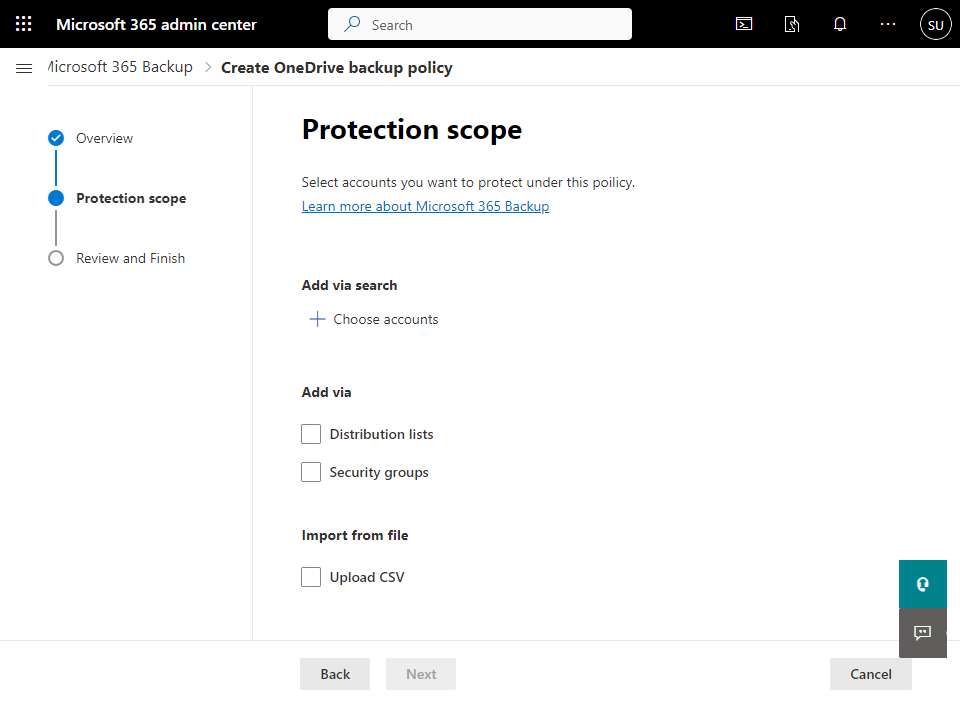
The new dialog allows you to select the items you wish to backup as shown above. Select what you wish to backup and then move onto the next dialog.
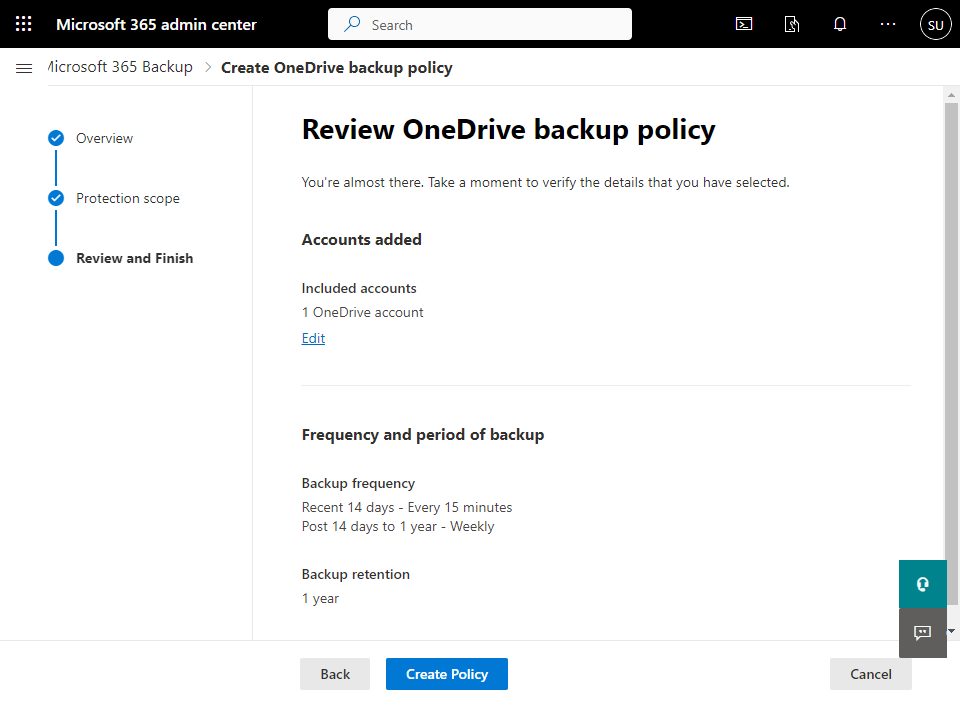
The final screen in the wizard is simply a summary of the policy as shown above. Select the Create Policy button at the bottom of the screen to complete the process.

Once that is done you’ll see the confirmation screen shown above indicating the policy has bene created.
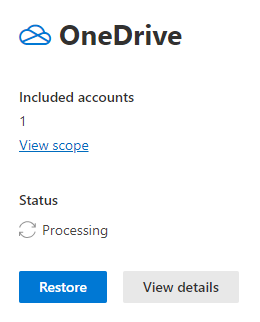
If you look at that item in the console summary you will see that its status if Processing as shown above. The time this takes will depend on the amount of data you have elected to backup.
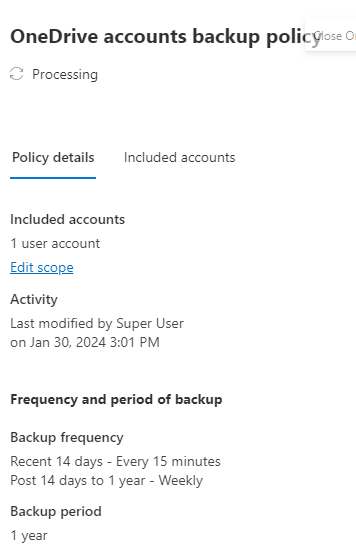
If you select the View details button you’ll see a summary of included accounts and activity as shown above.
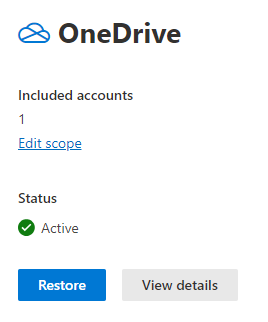
When processing is complete the item will show as Active as seen above. You’ll also notice that the Restore button is active. You can again select View details but you see basically the same information as before.
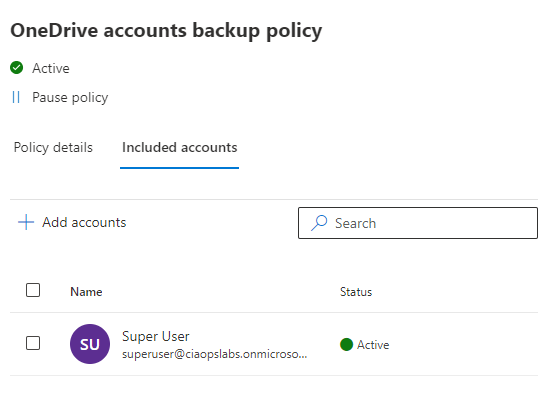
If you select the Edit the scope hyperlink you can add more items to what is being backed up as shown above.
You’ll also notice at the top of this dialog you can Pause the policy.
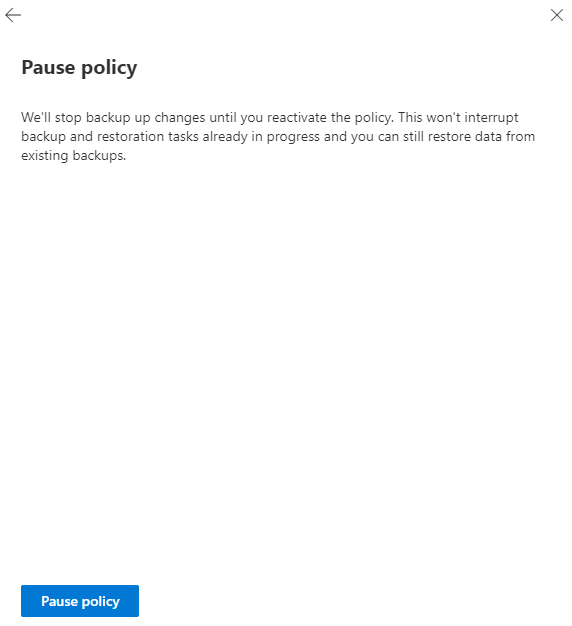
This will show the dialog shown above.
That’s all there is really is to backing up items. Very straight forward with few options for now. Remember, this product is still in preview.
Probably the biggest missing item for me is reporting. I would love to see how much data is being backed up, when it was run, what was included, etc. At the moment, you have to trust it is in fact backing up, unless you do a restore (which you should regularly anyway). However, some reporting on what the backup is doing would be great. Even better, if that could be sent via email or integrated to something like Power Automate would be magic.
It would be good to know the size of the items being backup as you create the policy i.e. this OneDrive you selected is 500GB in size and is estimated to cost $X as a bonus.
I think it is good that the service is basic. That is really all you generally need for backup. Turn it on. Select what you want to backup, and away it goes. For now, I think all that is missing is some basic reporting around completions and data backed up.
I also like the ability to quickly pause the backup. This might allow me to set it up initially and run for a short period, pause and re-enable down the track. Not sure how much that really makes a difference versus just leaving it on, given this service is billed by storage, but I like that flexibility.
Clearly, Microsoft 365 backup is not as full featured as existing third party backup services, however my question is what value do they they really provide? Do all those bells and whistles third parties provide really necessary of utilised in any meaningful way? I kind of doubt it. The main thing is to set the backup up and then leave it do its thing. Aside from some basic reporting, do you really need more? Importantly, does more actually add to the value of the service or is it way to bloat the service to justify costs?
I’ll take a look at restoring data in an upcoming article, so stay tuned. Microsoft 365 Backup is still new and will develop overtime but I hope that it stays simple and adds some minor missing components, like basic reporting rather than trying to be everything to everyone.
 CIAOPS
2 thoughts on “Setting Microsoft 365 Backup policies”