

If you create a Power Automate with a trigger of When a new email arrives (V3) and you want to work with attachments in your Flow, ensure you select the Show advanced options as shown above.

If you don’t you’ll end up with saved attachments of only 4 bytes in size as shown above as by default the action doesn’t include attachments.
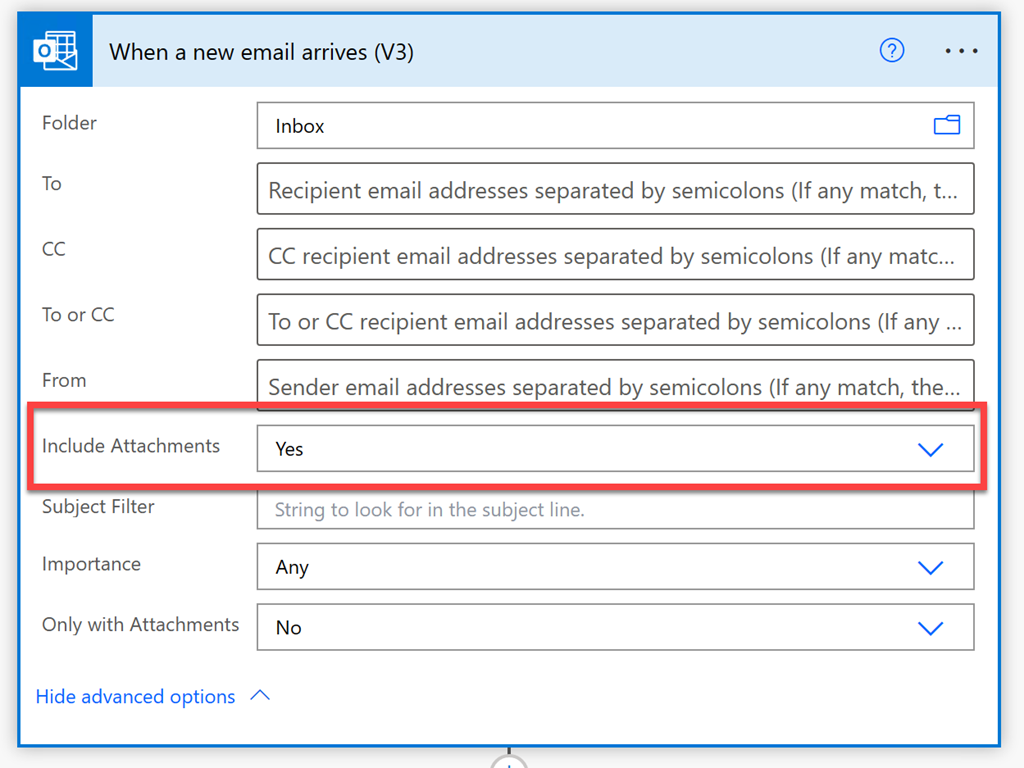
To work with attachments in your Flow, ensure the Include Attachments option is set to Yes as shown above. Then you’ll be able to do things like save the whole attachment to OneDrive for Business.
 CIAOPS