
I swear it was all working and now BOOM, it doesn’t! Using PowerShell I had been creating Endpoint Security policies but now those same policies were still being created but WITHOUT the configuration settings I had configured.
You can try this for yourself if you wish, without needing to code. Firstly visit the Microsoft Graph Explorer and authenticate.

Change the method to POST, set the API to beta and use the URL = https://graph.microsoft.com/beta/deviceManagement/templates/6cc38b89-6087-49c5-9fcf-a9b8c2eca81d/createInstance
Then in the Request body use the following:
https://gist.github.com/directorcia/6d8d2e5199c32b22b6fe782739447dc4
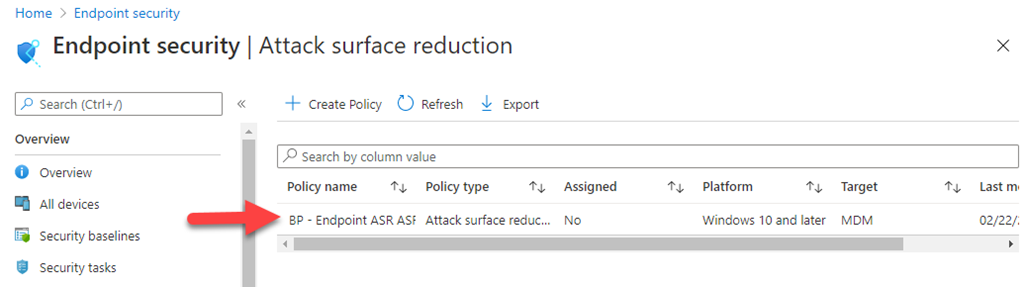
If you do you’ll find a new Endpoint Security Attack Surface Reduction – ASR rule has been created like so:
If you look at settings for this policy you’ll see:
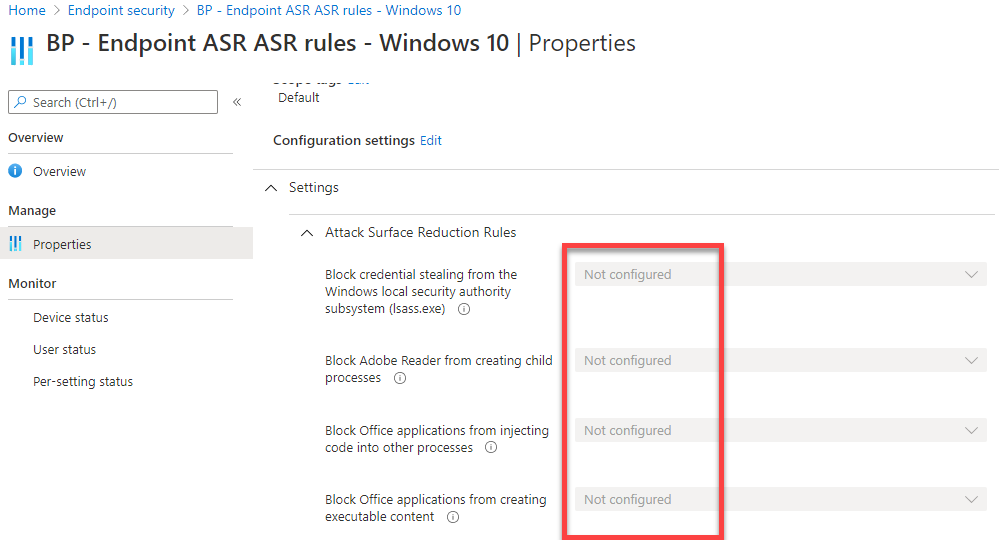
all the settings are Not configured!
So, no errors during the POST but no settings! Strange.
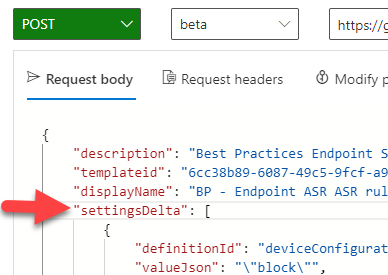
If however you return to the Request body and change the word value to settingDelta as shown above and then run the same query.
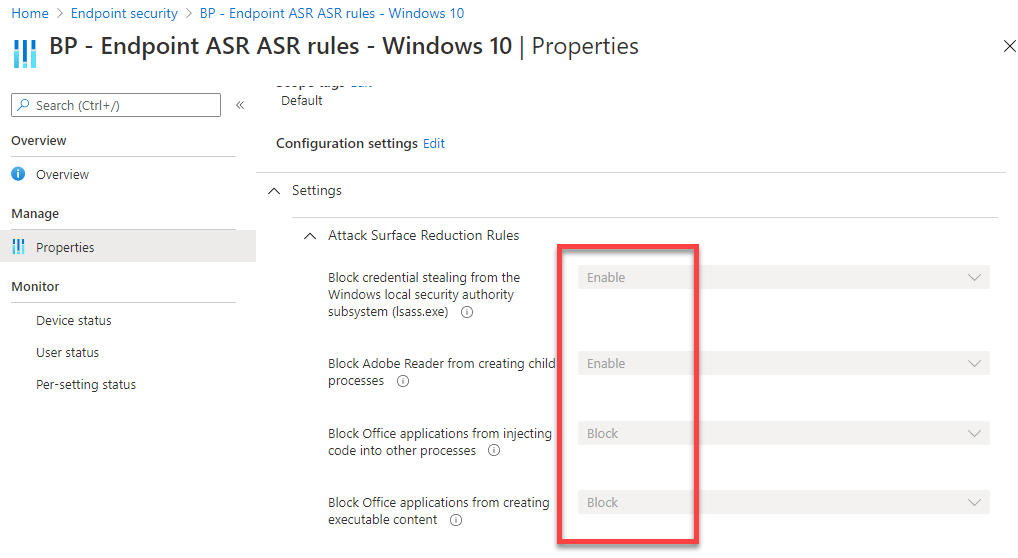
Now, the Endpoint Security policy is created and the settings are configured.
So in summary, don’t use value any more it seems with the request body, use settingsDelta.
 CIAOPS